Dropshipping Inventory Management: How to Track Stock
Running a dropshipping store does not mean you can ignore inventory.
You may not store products in your own warehouse, but your suppliers still have limited stock. If a supplier runs out of a product while your store still shows it as available, you can end up with canceled orders, delayed fulfillment, refunds, and unhappy customers.
Dropshipping inventory management is the process of monitoring supplier stock, keeping product availability accurate, and making sure orders can be fulfilled when customers buy.
For sellers using TeemDrop, inventory management can be connected with product sourcing, supplier coordination, quality control, and automated fulfillment in one workflow. This reduces the need to manage every operational step manually.
This guide explains how dropshipping inventory management works, why it matters, and how beginners can build a simple system that supports long-term growth.
Quick Answer: What Is Dropshipping Inventory Management?
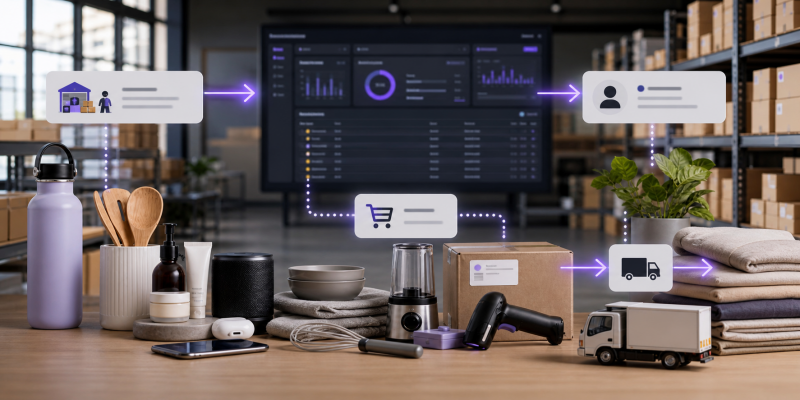
Dropshipping inventory management is the process of tracking supplier stock, updating product availability, and preventing products from being sold when they are out of stock. [1]
Because dropshippers rely on suppliers to store and ship products, accurate inventory information helps prevent stockouts, overselling, and fulfillment delays.
Key Takeaways
- Track supplier stock to prevent stockouts and overselling.
- Keep store inventory information accurate and up to date.
- Automate repetitive inventory and order management tasks when possible.
- Use reliable suppliers and backup sourcing options for best-selling products.
- TeemDrop connects sourcing, quality control, and fulfillment in one workflow.
How Does Dropshipping Inventory Management Work?
Traditional ecommerce inventory management focuses on products stored in your own warehouse.
Dropshipping is different.
Your supplier may hold the inventory, while your store handles the customer-facing side of the business. That means you need visibility into what your supplier can actually fulfill.
A simple dropshipping inventory management workflow looks like this:
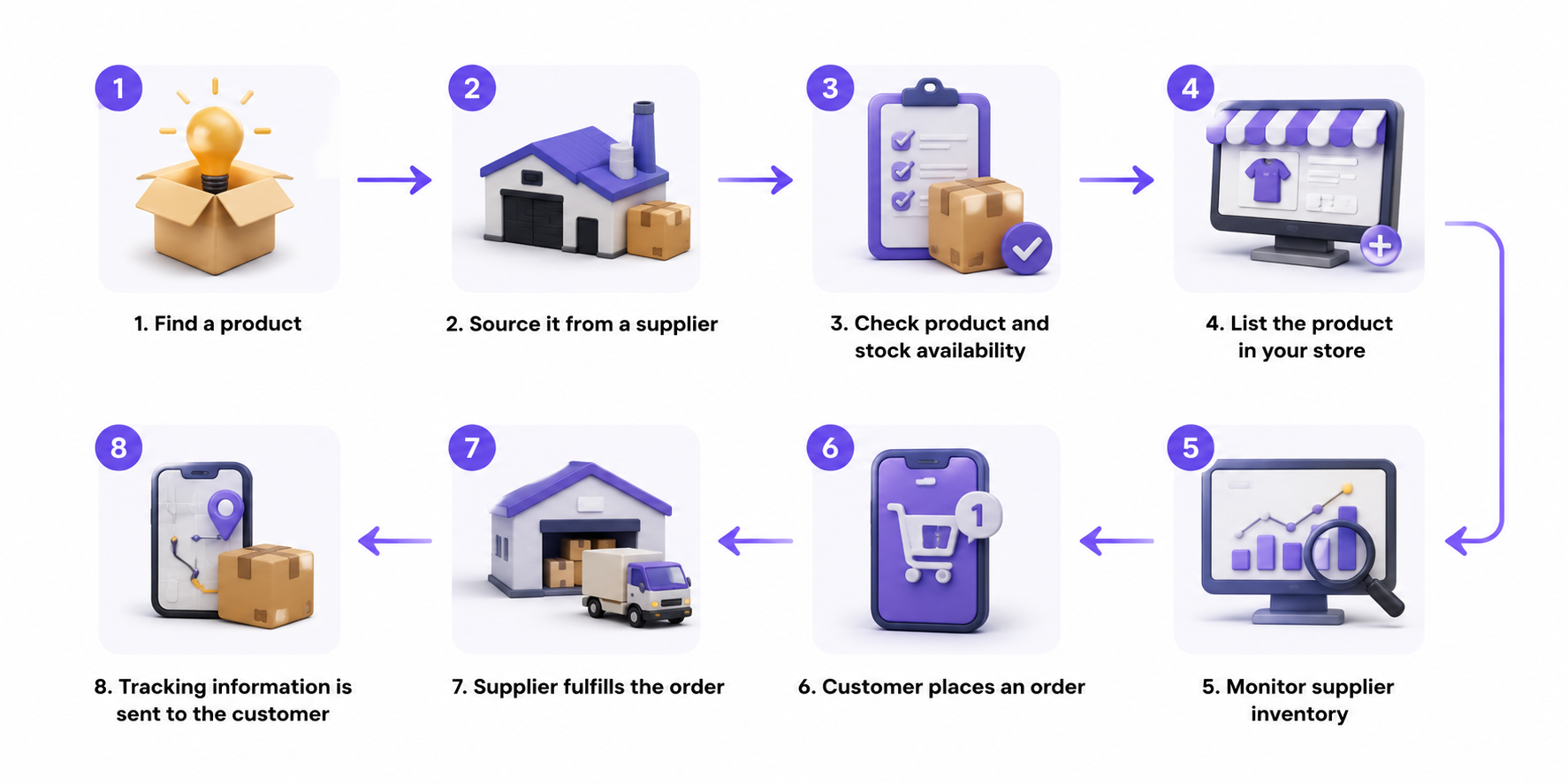
For example, imagine you sell a portable blender.
Your Shopify store shows:
Available: 30 units
But your supplier only has:
Available: 4 units
If 10 customers place orders, you have a problem.
The store accepted orders that the supplier may not be able to fulfill.
This is why inventory visibility matters even when you never physically touch the product.
Why Is Inventory Management Important for Dropshipping?
Inventory problems can quickly become customer service problems.
1. Prevent Dropshipping Stockouts
A stockout happens when customers want to buy a product but the supplier cannot provide it.
This can result in:
- Canceled orders
- Refunds
- Delayed shipping
- Lost advertising spend
- Negative reviews
Shopify's 2026 inventory research highlights accurate, real-time inventory data as an important way to reduce stockouts and keep product availability under control.[2]
For a dropshipping business, this is especially important because you depend on another company to hold and ship your products.
2. Avoid Overselling
Overselling happens when your store accepts more orders than your supplier can fulfill.
It is one of the easiest inventory mistakes for a new dropshipper to make.
Instead of waiting until a product becomes unavailable, monitor supplier stock and respond when inventory starts getting low.
3. Improve Customer Trust
Customers do not care which supplier stores your product.
They care whether the product they purchased arrives when promised.
Accurate inventory information helps you avoid situations where you need to tell a customer:
"Sorry, the product you ordered is no longer available."
A reliable fulfillment process supports better customer experiences and repeat purchases.
4. Save Time as Your Store Grows
Checking every supplier manually may work when you have five products.
It becomes much harder when you have:
- 50 products
- 200 products
- Multiple suppliers
- Multiple product variants
- Hundreds of daily orders
This is where inventory automation becomes more valuable.
Manual vs. Automated Dropshipping Inventory Management
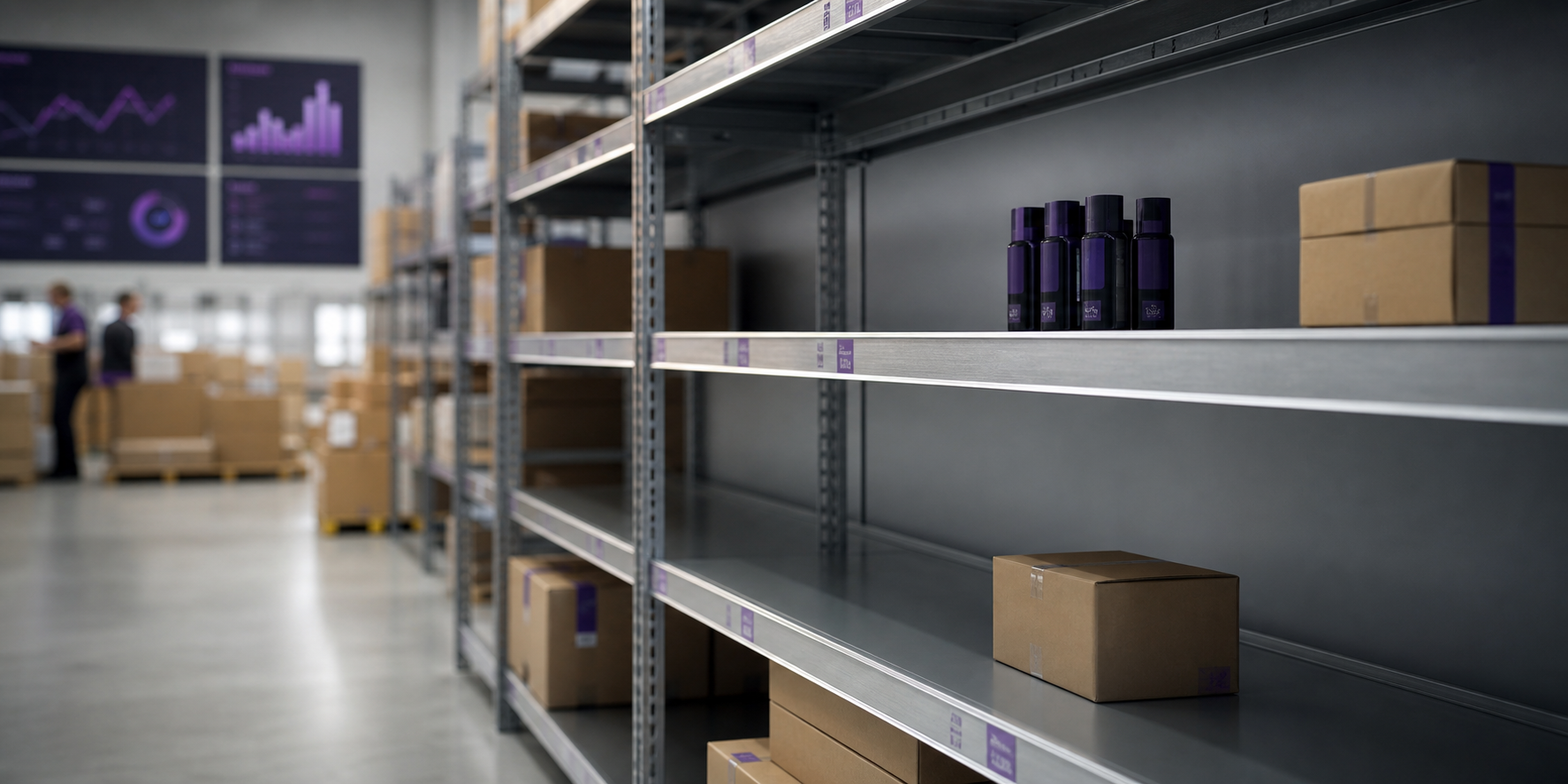
There are two basic ways to manage inventory.
| Manual Management |
Automated Management |
| Check suppliers manually |
Monitor inventory through connected systems |
| Update product availability yourself |
Sync product information automatically |
| More repetitive work |
Less manual work |
| Higher risk of human error |
Fewer repetitive mistakes |
| Harder to manage many products |
Easier to scale |
| Slow response to supplier changes |
Faster response to changes |
Manual tracking is not automatically wrong.
It can work for a very small store.
But once you start adding products, suppliers, and orders, automation can save significant time. Shopify's 2026 inventory guidance similarly emphasizes automation and centralized inventory information as businesses scale.[3]
7 Best Practices for Dropshipping Inventory Management
1. Choose Reliable Dropshipping Suppliers
Inventory management starts with the supplier.
Before adding a product to your store, consider working with reliable dropshipping business suppliers and evaluating:
- Stock stability
- Product quality
- Processing time
- Shipping options
- Communication
- Order accuracy
A supplier with unstable inventory can create problems even if your store has excellent inventory tracking.
This is why supplier selection should be part of your inventory strategy, not a separate task.
2. Automate Dropshipping Inventory Updates
The more products you sell, the harder manual inventory updates become.
Look for a system that can help connect your store, products, suppliers, orders, and automated fulfillment.
With TeemDrop, sellers can connect ecommerce stores, source products, sync products and orders, and use automated fulfillment within one workflow. TeemDrop also provides real-time tracking and global fulfillment support.
The goal is simple:
Spend less time checking operational details and more time growing your store.
3. Set Inventory Thresholds
You do not always need to wait until a product reaches zero stock.
Set a minimum inventory level for important products.
For example:
Supplier inventory: 100 → 50 → 20 → 10
When the product reaches 10 units, treat it as a warning.
You can then:
- Contact the supplier
- Look for another supplier
- Reduce advertising
- Prepare a replacement product
- Temporarily pause the listing if necessary
This creates a buffer before a stockout becomes a customer problem.
4. Monitor Product Variants
Inventory problems do not always affect the entire product.
Sometimes only one variant is unavailable.
For example:
Black / Small: Available
Black / Medium: Available
Black / Large: Out of stock
If you only monitor the main product, you may miss the problem.
Track important variants such as:
- Size
- Color
- Style
- Material
- Package quantity
This is especially important for clothing, jewelry, electronics accessories, and other products with many variations.
5. Use Multiple Dropshipping Suppliers
Depending on one supplier creates additional risk.
If your best-selling product suddenly becomes unavailable, your entire sales funnel can be affected.
For important products, consider having a backup supplier.
A second supplier can help you respond when:
- Stock suddenly drops
- Product quality changes
- Processing becomes slower
- Shipping routes change
- The supplier stops offering the product
You do not need multiple suppliers for every product.
Start with your bestsellers and products that generate the most revenue.
6. Track Sales Velocity, Not Just Stock
Inventory numbers alone do not tell the whole story.
Imagine two products both have 20 units available.
Product A: sells 1 unit per week
Product B: sells 10 units per day
Product B is much closer to a stockout.
Pay attention to:
- Daily sales
- Weekly sales
- Product demand
- Conversion rate
- Remaining supplier stock
- Supplier processing time
This helps you identify which products need immediate attention.
7. Review Slow-Moving Products
Inventory management is not only about preventing stockouts.
You should also identify products that receive little demand.
If a product consistently receives few orders, ask:
- Is the product still relevant?
- Is the price competitive?
- Is the product page strong enough?
- Is the supplier reliable?
- Should I replace it with another product?
Removing weak products can make your store easier to manage and keep your catalog focused.
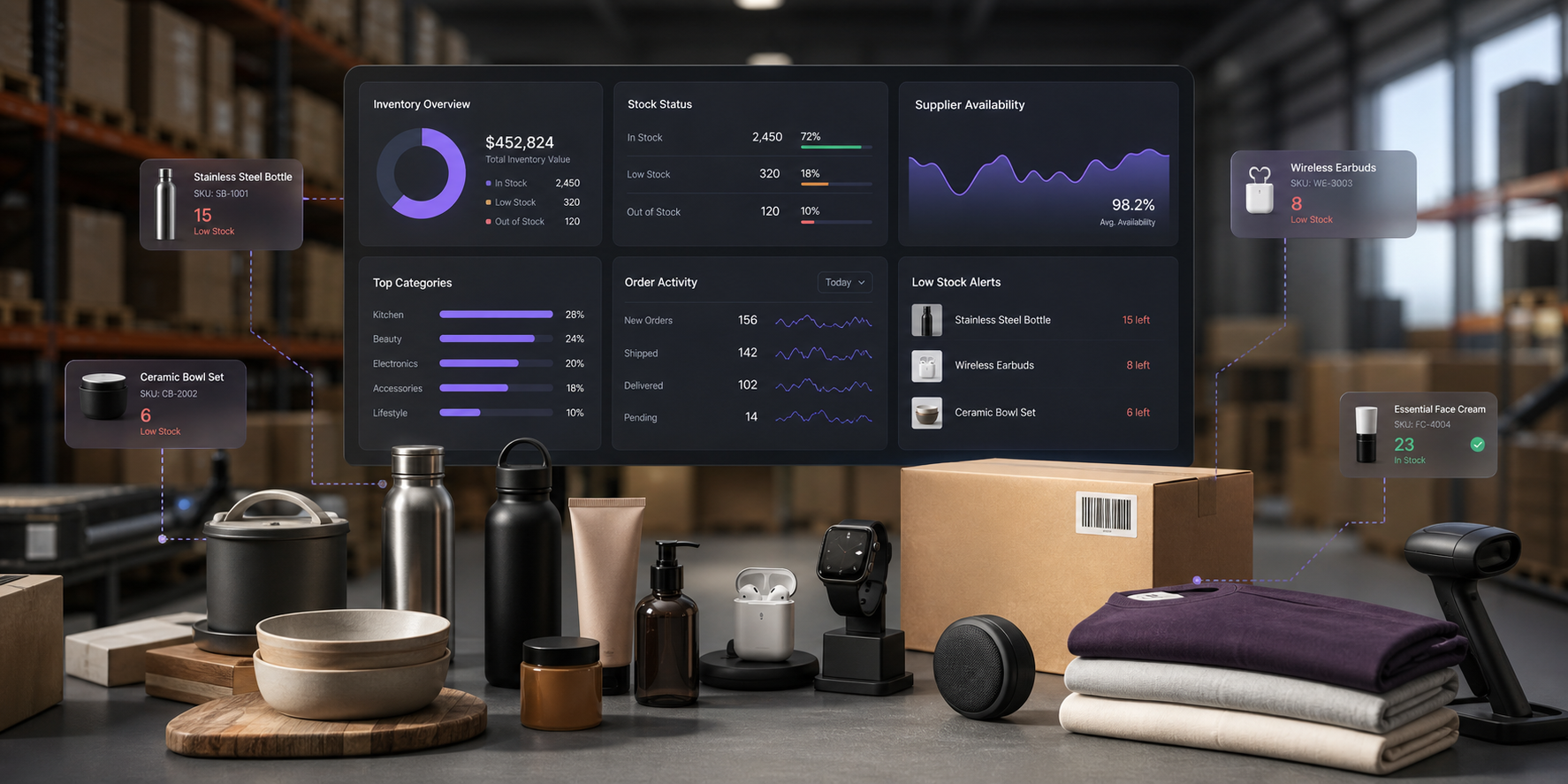
How to Manage Dropshipping Inventory Step by Step
If you are new to dropshipping, start with this simple process.
Step 1: Choose Reliable Products and Suppliers
Do not choose products based only on trends.
Check supplier quality, stock availability, processing time, and shipping options.
Step 2: Connect Your Store
Connect your ecommerce store to your dropshipping platform so products and orders can move through the same workflow.
TeemDrop supports integrations with platforms including Shopify, WooCommerce, Etsy, and other ecommerce channels.
Step 3: Import and Monitor Products
Add products to your store and monitor their availability.
Focus first on your best-selling products rather than trying to manually monitor every SKU equally.
Step 4: Set Low-Stock Rules
Decide which products need attention when inventory reaches a certain level.
Your threshold can depend on sales speed and supplier processing time.
Step 5: Prepare Backup Suppliers
For products that generate significant sales, keep alternative sourcing options available.
Step 6: Connect Inventory With Fulfillment
Inventory management should not stop when the customer places an order.
The next step is reliable dropshipping order fulfillment.
TeemDrop combines product sourcing, quality control, order processing, and fulfillment so sellers can manage more of the workflow from one platform.
Step 7: Review Your Products Regularly
Every week, check:
- Bestsellers
- Low-stock products
- Out-of-stock products
- Slow-moving products
- Supplier performance
- Fulfillment issues
A simple weekly review can prevent small inventory problems from becoming larger operational problems.
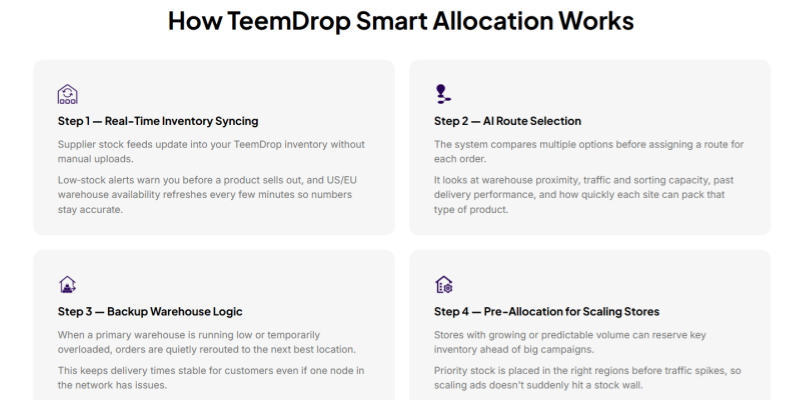
How TeemDrop Simplifies Dropshipping Inventory Management
Inventory management is only one part of a reliable dropshipping workflow. The bigger goal is to connect sourcing, supplier coordination, order processing, and fulfillment.
TeemDrop is designed around this connected workflow.
Instead of treating inventory as an isolated task, sellers can combine:
- AI dropshipping to find and source products
- Supplier coordination
- Product and order syncing
- Quality Control through multi-stage inspections
- Auto Fulfill for automated order processing
- Global warehouses and fulfillment
- Real-time shipment tracking
- Logistics AI alerts
TeemDrop currently supports global delivery to 200+ countries, with 8–12 business day delivery available for major markets including the US, Europe, Australia, and Canada. Its website also reports 98.5% on-time delivery and 99.2% damage-free rates.
The key benefit is not simply having more tools.
It is having fewer disconnected steps between:
Product sourcing → Supplier → Inventory → Order → Quality control → Fulfillment → Delivery
That becomes increasingly important as your store grows.
What to Look for in a Dropshipping Inventory Management Solution
Before choosing a dropshipping platform or supplier, look for these capabilities:
Real-Time Inventory Updates
You need accurate information about product availability.
Supplier Management
The platform should make it easier to work with reliable suppliers and respond to supply issues.
Store Integration
Your store, products, orders, and fulfillment should work together rather than requiring constant manual updates.
Automated Fulfillment
Orders should move from your store to fulfillment with minimal manual work.
Quality Control
Inventory is only useful if the products being shipped meet your expected quality standards.
Tracking and Alerts
You should be able to monitor orders and identify potential delivery problems early.
These features help turn inventory management from a daily manual task into a repeatable business process.
FAQ
Do dropshippers need to keep inventory?
Usually, no. Dropshipping allows sellers to sell products without physically storing them. However, sellers still need to monitor supplier inventory to avoid selling products that cannot be fulfilled.
How do I track inventory when dropshipping?
Track supplier stock, product availability, sales velocity, and important product variants. Using an integrated platform can reduce the amount of manual inventory checking.
How can I prevent stockouts in dropshipping?
Monitor supplier inventory, set low-stock thresholds, review fast-selling products regularly, and maintain backup suppliers for important products.
What happens if my dropshipping supplier runs out of stock?
First, check whether a backup supplier can provide the same or a similar product. If not, pause the product, adjust its availability, or replace it with another product. Do not continue accepting orders if you cannot reliably fulfill them.
Is inventory management important for Shopify dropshipping?
Yes. Shopify makes it easy to run an online store, but product availability still depends on your suppliers. Effective Shopify dropshipping operations require accurate inventory information, reliable sourcing, and consistent fulfillment.
Final Thoughts
Good dropshipping inventory management is not about owning more inventory.
It is about knowing what your suppliers can fulfill, responding quickly when stock changes, and connecting inventory information with the rest of your fulfillment process.
For beginners, start with the basics:
Choose reliable suppliers → monitor stock → set inventory thresholds → track bestsellers → prepare backup suppliers → automate repetitive tasks.
As your store grows, managing these steps manually becomes harder.
That is where an integrated platform such as TeemDrop can help. By bringing AI-powered sourcing, supplier coordination, quality control, automated fulfillment, and global shipping into one workflow, TeemDrop helps sellers spend less time managing operational details and more time building their stores.
References
[1] Shopify — Dropshipping Inventory Management: 5 Best Practices
Shopify — Dropshipping Inventory Management
[2] Shopify — Ecommerce Inventory Management: Best Practices & Challenges (2026)
Shopify — Ecommerce Inventory Management
[3] Shopify — Managing Inventory in Shopify (2026)
Shopify — Managing Inventory in Shopify