How to Automate Your Dropshipping Store From Order to Delivery
Automation is what separates a store that scales from one that buries you in manual work. If you're still copying tracking numbers, chasing suppliers, or manually pushing orders, you're spending time on tasks a well-configured store should handle on its own.
This guide covers how to automate every stage of the dropshipping workflow — from the moment a customer checks out to the moment their package arrives at the door.
Why Automation Matters More Than Ever in 2026
Manual processes have a hard ceiling. You can manage 10 orders a day by hand. You cannot manage 200.[2]
The stores hitting $10,000 to $20,000 per month aren't doing it through hustle alone. They've removed themselves from the logistics chain. Orders come in, get processed, get shipped, and customers receive tracking updates — all without the owner touching a spreadsheet.
The goal isn't to work less. It's to make your time count on things that actually move the business forward: product selection, marketing, and customer experience.
The Five Stages You Need to Automate
1. Order Processing
This is the most obvious bottleneck. Every time a customer buys, that order needs to reach your supplier. If you're handling that manually, you're one busy weekend away from a fulfillment disaster.
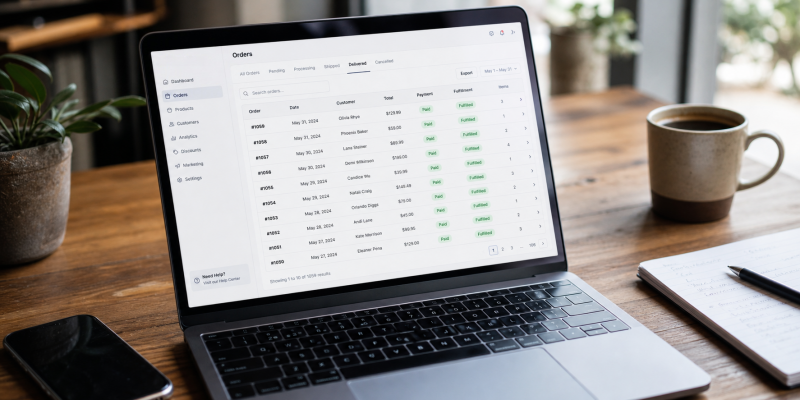
The fix is a direct integration between your store and your fulfillment platform. When a sale happens on Shopify, WooCommerce, or Wix, the order should route to your supplier automatically — no manual export, no copy-paste, no CSV uploads.[1]
Platforms with a native auto-fulfill feature handle this cleanly. TeemDrop's automated fulfillment picks up each order the moment it's placed and moves it into the fulfillment queue without any input from you.

2. Inventory and Stock Syncing
Nothing erodes customer trust faster than selling a product that's already out of stock. Manual inventory checks don't scale.
Automated stock syncing pulls live inventory data from your supplier's warehouse and updates your store in real time. If something goes out of stock, your listing reflects that before a customer can buy it.
Smart inventory allocation takes this further — instead of relying on a single warehouse, the system routes each order to whichever regional location has stock and sits closest to the customer. That reduces both stockouts and delivery times without any action on your end.
3. Shipping and Tracking Updates
Customers expect tracking. If they have to email you asking where their order is, your support queue fills up fast.[3]
Automated shipping means your fulfillment platform generates tracking numbers and pushes them back to your store and directly to the customer. The customer gets a notification. You get one fewer support ticket.
An AI-powered logistics alert system adds another layer. Rather than waiting for a customer to report a problem, the system flags delayed or at-risk shipments proactively — so you can address issues before they turn into refund requests.
4. Quality Control Before Shipment
This one gets overlooked in automation conversations, but it matters. Automated order routing is useless if the wrong or damaged product ships.
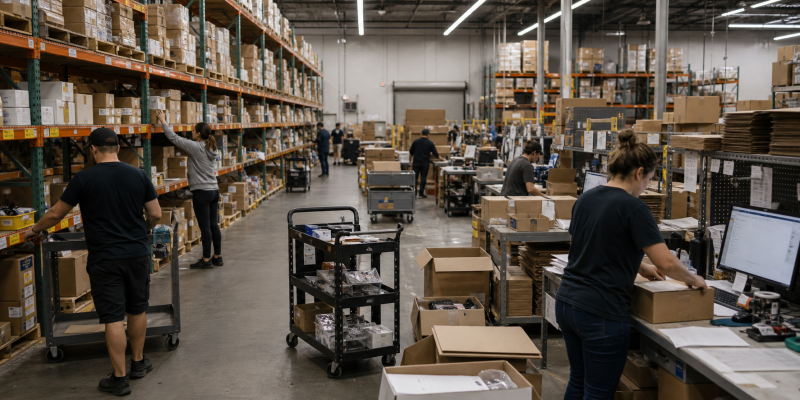
Multi-stage quality control, applied before an order leaves the warehouse, is what makes the rest of your automation trustworthy.[4] It's not something you do yourself — it's something your fulfillment partner runs on your behalf, consistently, at scale.
TeemDrop's quality control process includes pre-shipment inspections across every order. That's the kind of quality gate that protects your refund rate without adding anything to your workload.
5. Customer Notifications and Post-Purchase Flows
Order confirmation, shipping notification, delivery confirmation — these should all fire automatically through your store's email or SMS system.
Most e-commerce platforms handle this natively once you connect a fulfillment integration that passes tracking data back correctly. The key is making sure your fulfillment platform sends tracking data in a format your store can actually use, not just a raw carrier number stripped of context.
Choosing the Right Fulfillment Platform for Full Automation
The platform you pick determines how much of the above actually runs without you.
Some tools are automation layers that sit on top of other suppliers. They add cost and complexity without owning any part of the logistics chain. If your supplier has a problem, the automation layer can't fix it.
A fully managed fulfillment platform owns the entire chain: sourcing, warehousing, quality control, shipping, and tracking. That's a fundamentally different model — and a fundamentally different level of reliability.
Here's how the main options compare on automation depth:
| Platform |
Auto Fulfill |
QC Included |
Warehousing |
Monthly Fee |
| TeemDrop |
Yes |
Multi-stage |
Yes |
$0 |
| Zendrop |
Pro plan+ |
Limited |
Yes (US) |
$49/mo+ |
| CJ Dropshipping |
Yes |
Inconsistent |
Yes |
$0 |
| AutoDS |
Yes (tool only) |
No |
No |
Subscription |
| DSers |
Yes |
No |
No |
$0 base |
Zendrop requires a paid plan starting at $49 per month to unlock automated fulfillment. AutoDS is an automation tool, not a supplier — you still need a separate sourcing relationship, and the costs stack. DSers is AliExpress-only with no warehousing or quality control built in.
TeemDrop runs on a pay-per-order model with no monthly subscription, and automated fulfillment is included at every tier — not locked behind a paid plan. You can review the full breakdown on the fulfillment pricing page.
How to Set Up Automation on TeemDrop
If you already have a live store, the setup is straightforward.
Step 1: Connect your store. TeemDrop integrates directly with Shopify, WooCommerce, and Wix. The connection takes a few minutes and authorizes the platform to receive orders and push tracking data back to your store.
Step 2: Import products. Browse the catalog — items start from $0.64 — and import products to your store. Details, images, and variants sync automatically.
Step 3: Enable auto-fulfill. Turn it on in your settings. From that point, every new order routes to TeemDrop's fulfillment system without any manual action.
Step 4: Configure tracking notifications. Make sure your store's post-purchase email flow is connected to the tracking data TeemDrop sends back. Most Shopify and WooCommerce setups handle this out of the box once the integration is live.
Step 5: Review AI alerts. TeemDrop's Logistic AI-Alert system flags shipment issues proactively. Check your dashboard periodically in the first few weeks to understand what kinds of alerts come through and how to act on them.
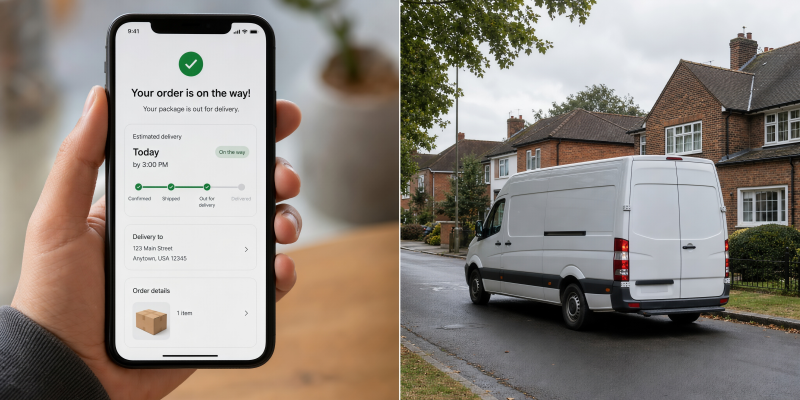
After that, the store runs. Orders come in, get fulfilled, ship to customers across 200-plus countries through global shipping routes, and tracking updates go out automatically.
What You Should Still Handle Yourself
Automation handles logistics. It doesn't handle judgment.
Product selection still requires a human eye. Trends move fast, and no algorithm replaces your ability to spot a winning product before it saturates.
Customer service escalations need a real person. Automated tracking covers most questions, but refund disputes, damaged goods, and unusual requests need attention. TeemDrop's 24/7 support team handles fulfillment-side issues directly, which reduces how many of those land on your desk.
Marketing is entirely on you. Ads, content, social, email — none of that runs meaningfully without your direction.
The point of automating fulfillment is to free up time for these things, not to remove yourself from the business entirely.
Common Automation Mistakes to Avoid
Automating before testing. Run a few test orders manually before enabling auto-fulfill. Confirm that tracking data flows back to your store correctly and that customer notifications fire as expected.
Ignoring the QC layer. Automated order routing with no quality check just ships problems faster. Make sure your fulfillment partner inspects before shipping — not after a customer complains.
Stacking tools without an end-to-end owner. Using an automation tool on top of a supplier that doesn't own its own warehouses means two layers of blame and no single point of accountability when something goes wrong.
Not reviewing AI alerts. The Logistic AI-Alert system exists to catch problems early. Ignoring those alerts defeats the purpose of having them.
A fully automated dropshipping store isn't a fantasy — it's a configuration choice. Pick a platform that owns the full logistics chain, connect it to your store, enable auto-fulfill, and let the system do what it was built to do.
If you're ready to set that up, TeemDrop handles the entire back-end — from sourcing to last-mile delivery — with no monthly fee.
FAQs
What does it mean to automate dropshipping?
Automating dropshipping means connecting your store to a fulfillment platform so that orders are processed, picked, packed, and shipped automatically when a customer buys — without any manual action from you. It also covers automated inventory syncing, tracking updates, and shipment alerts.
Which part of dropshipping is hardest to automate?
Order processing and tracking are the easiest. Quality control is harder because it requires a fulfillment partner that runs pre-shipment inspections as a standard part of their process — not something you can add with a plugin.
Do I need to pay for automation features?
It depends on the platform. Zendrop locks automated fulfillment behind paid plans starting at $49 per month. TeemDrop includes auto-fulfill at no monthly cost and charges only per fulfilled order.
Can I automate dropshipping on Shopify, WooCommerce, and Wix?
Yes. TeemDrop integrates directly with all three. Once connected, orders from any of these platforms route automatically to the fulfillment system without manual input.
What happens if an automated shipment has a problem?
A good fulfillment platform catches issues before they reach the customer. TeemDrop's Logistic AI-Alert system monitors shipments proactively and flags delays or at-risk orders early. The 24/7 support team handles fulfillment-side escalations directly.
Is quality control part of automated fulfillment?
It should be, but not every platform includes it. TeemDrop runs multi-stage QC before every shipment as a standard part of the fulfillment process — not an add-on.
How long does it take to set up automated fulfillment on TeemDrop?
Connecting your store and enabling auto-fulfill takes under an hour for most Shopify, WooCommerce, or Wix stores. The main steps are store connection, product import, and enabling auto-fulfill in your account settings.
References
[1] Shopify – Order Fulfillment Best Practices
https://www.shopify.com/blog/order-fulfillment
[2] Statista – E-commerce Logistics and Fulfillment Trends
https://www.statista.com/topics/871/online-shopping/
[3] PwC – Global Consumer Insights Survey
https://www.pwc.com/gx/en/industries/consumer-markets/consumer-insights-survey.html
[4] Baymard Institute – Checkout and Delivery Usability Research
https://baymard.com/research