Apr 09, 2026
How to Authorize eBay with TeemDrop
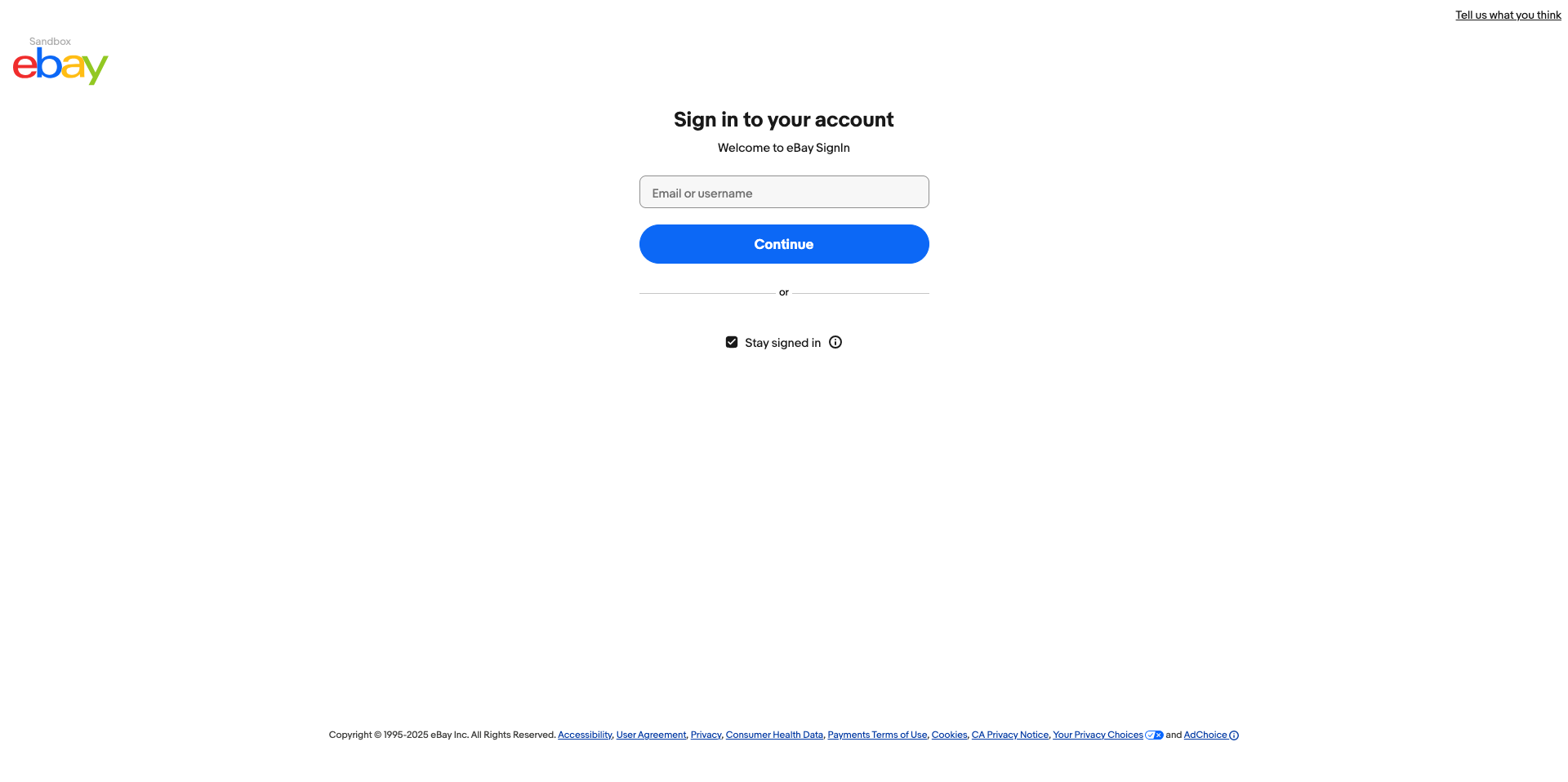
1. Log in to your eBay account.
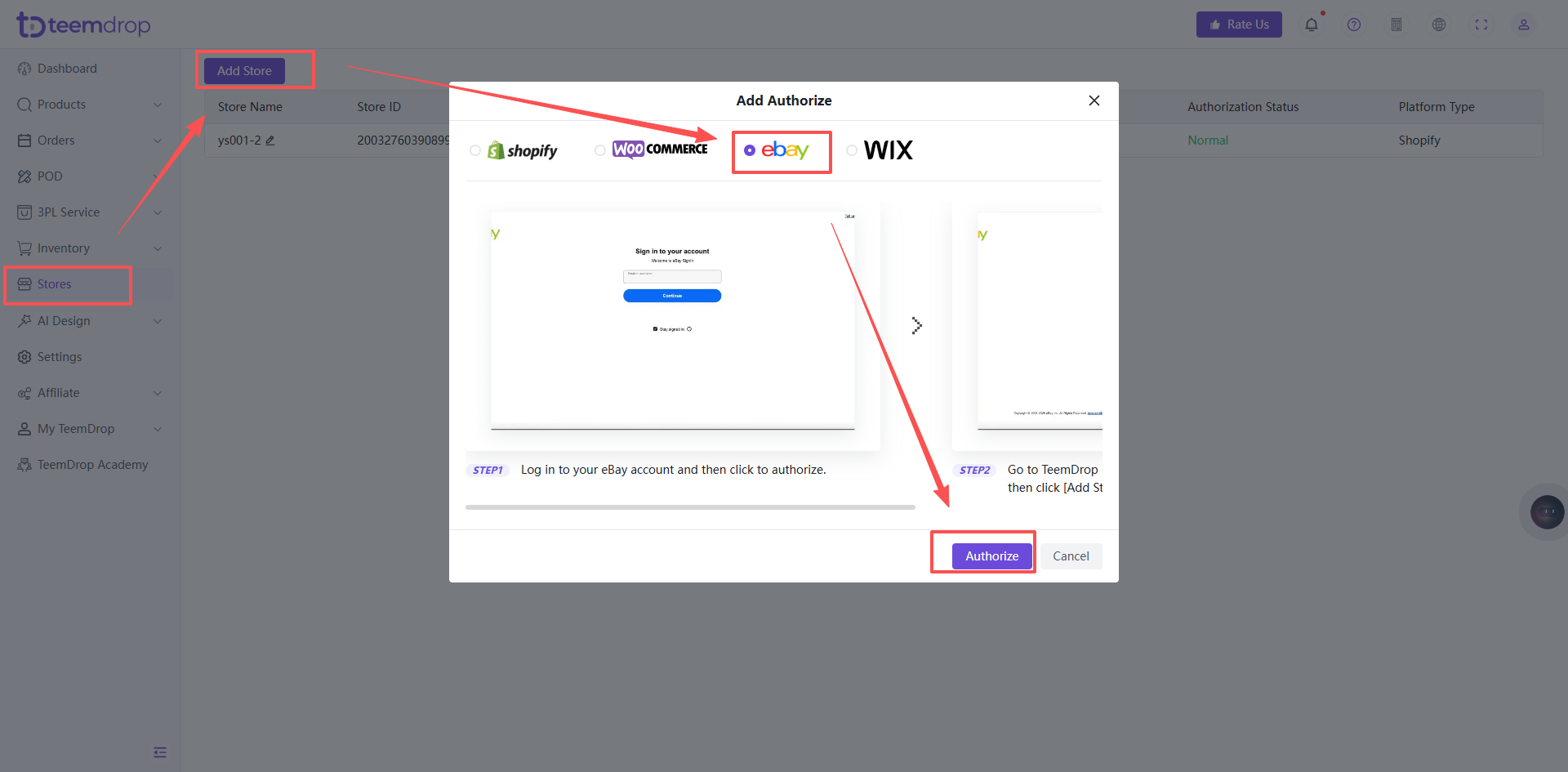
2. Go back to your TeemDrop account, click: Store Management → Authorized Store → Add Store → eBay → Authorize.
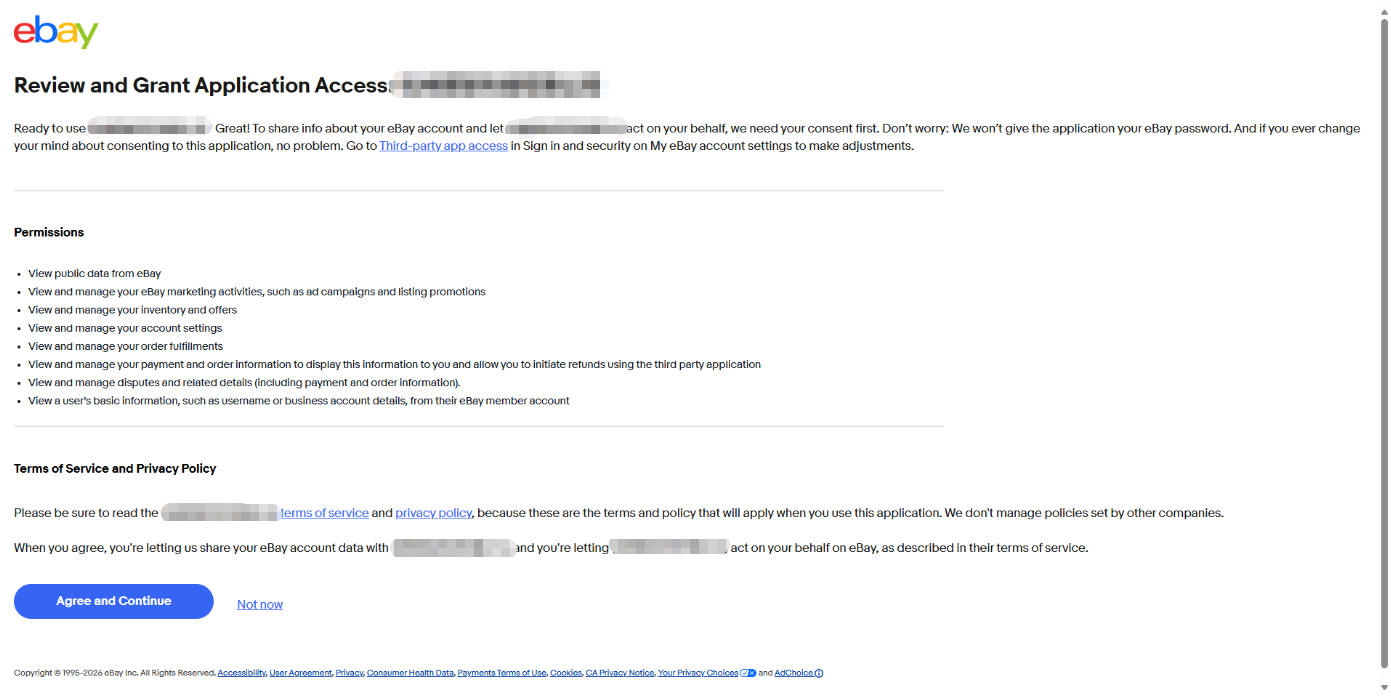
3. Click "Agree and Continue" on the authorization confirmation page to authorize.
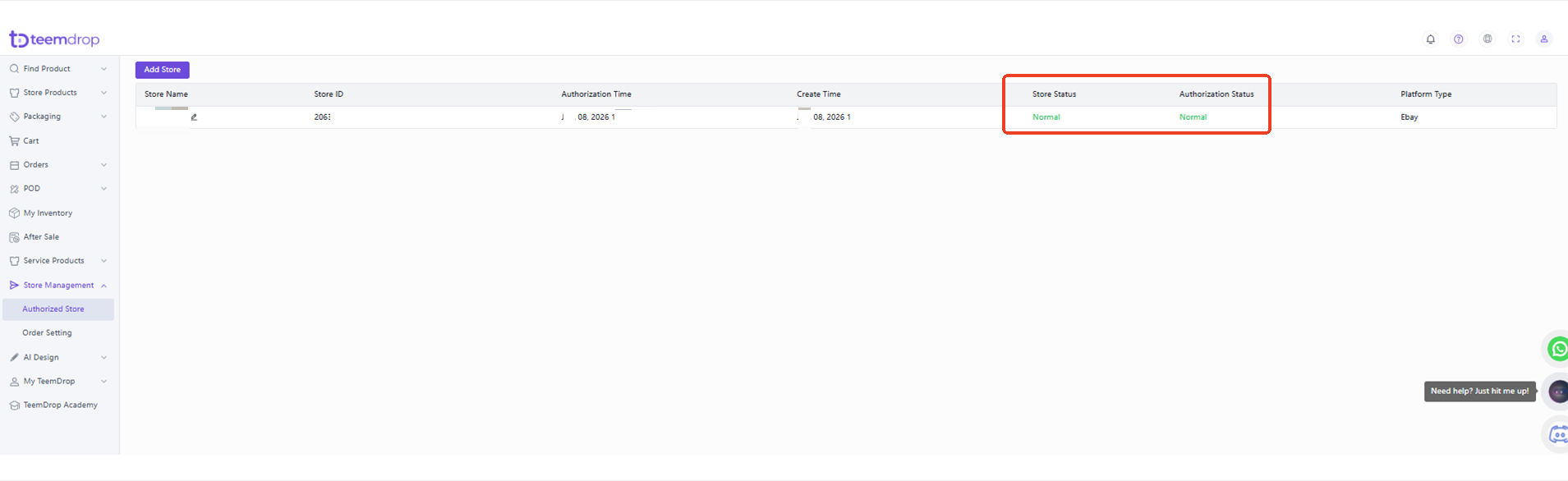
4. The page will redirect back to TeemDrop, and the store authorization is completed successfully.