


 Apr 09, 2026
How to connect store existing products with TeemDrop?
-
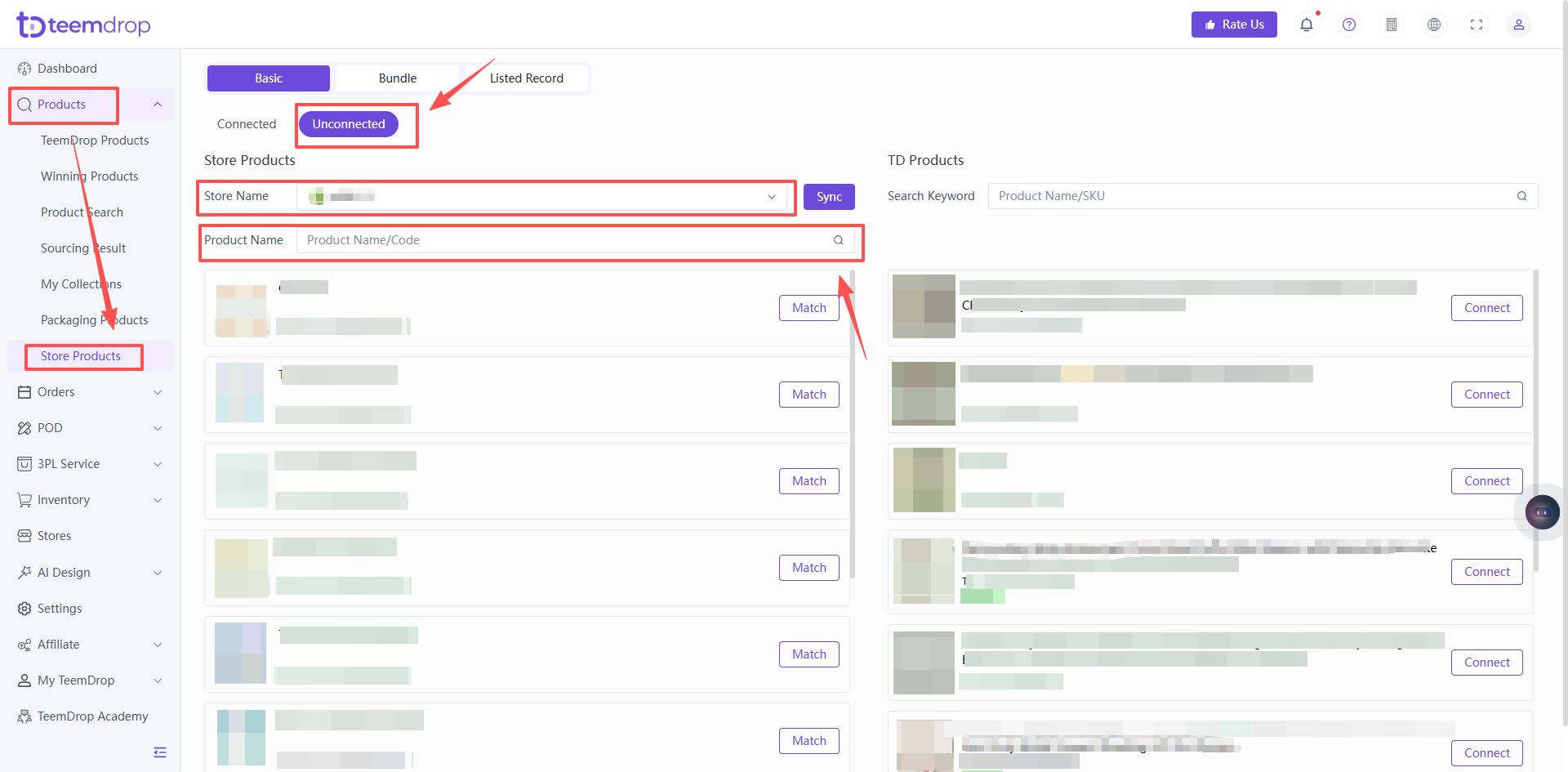
Go to the Store Products > Unconnected list.
-
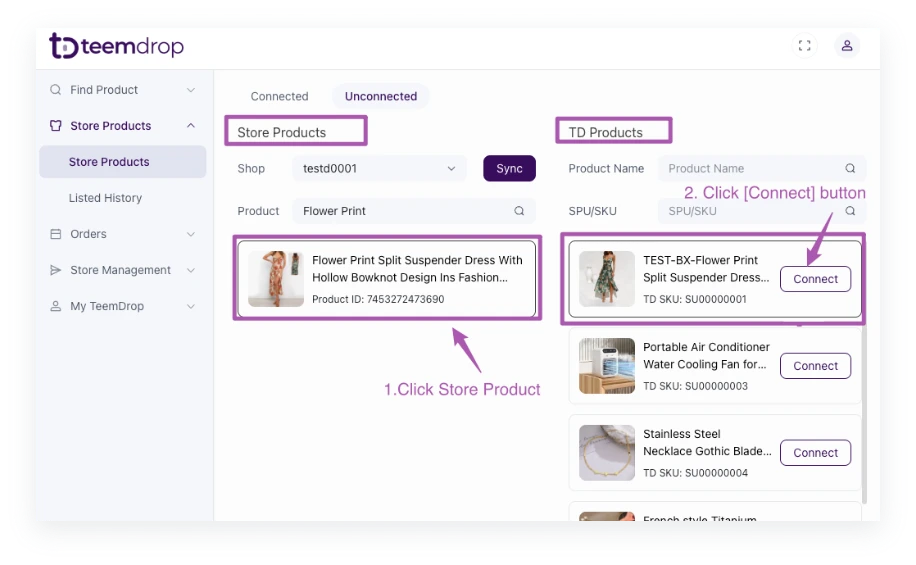
Click on the store products on the left side, and then click on the TD products on the right side to Connect them.
-
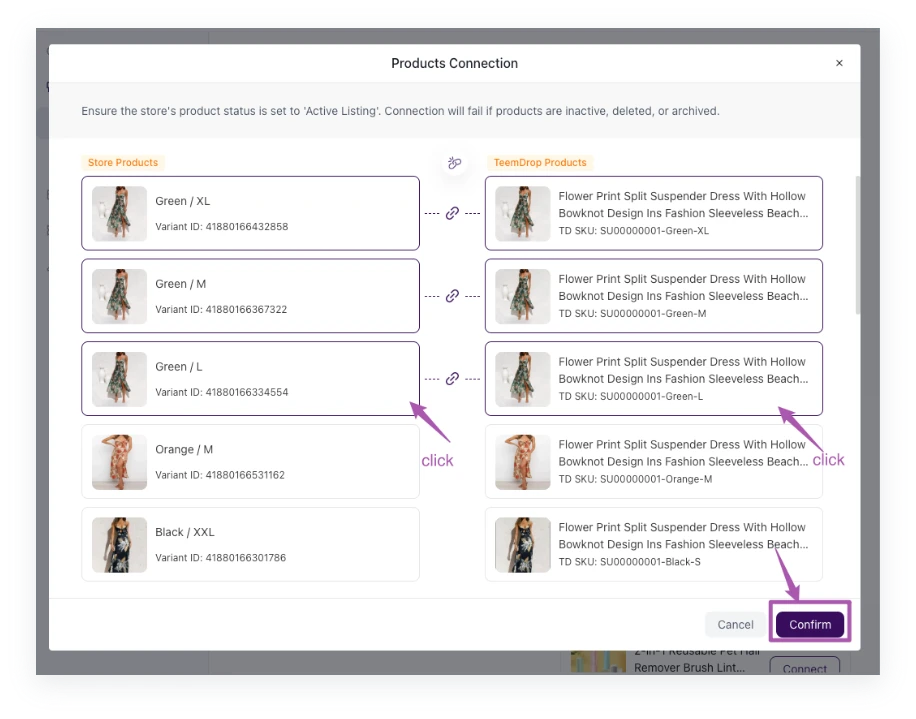
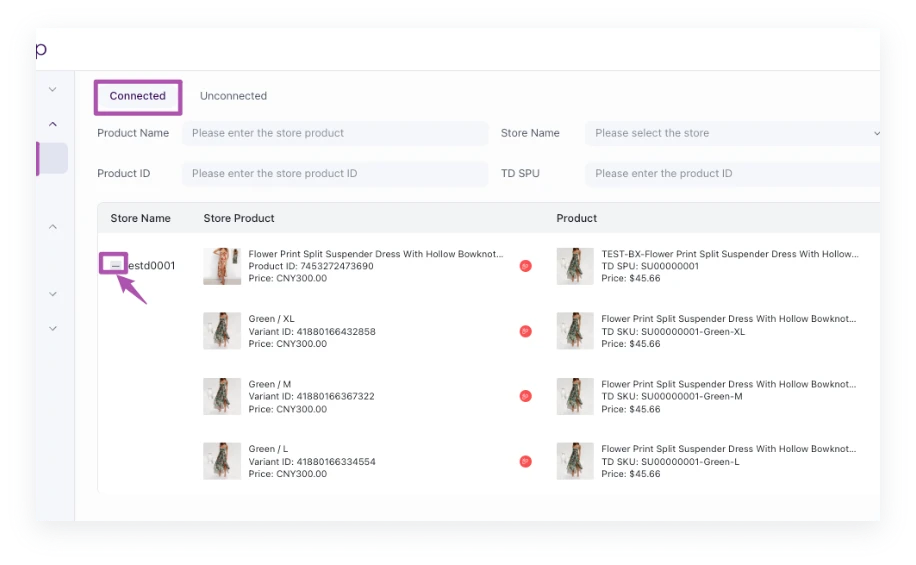
Connect the products one-to-one. After confirming the connection, you can view the connected store product on the Store Products > Connected page.
Step-by-Step Guide: Connecting Store Products to TeemDrop SKUs
1️⃣ Check Unconnected Products
-
Go to Products > Store Products > Unconnected List.
Tip: Use the search bar or filters to locate specific products quickly.
2️⃣ Connect Products
-
Select your store product: Click on the item from the left panel (your store's product list).
-
Choose a TD product: Browse the right panel (TeemDrop products) and click the matching SKU.
-
Confirm the connection: Click the Connect button between the panels.
3️⃣ Verify Successful Connection
-
After linking, go to Store Products > Connected List to review the paired products.
-
✅ Success: Orders with connected SKUs will automatically sync to Awaiting Payment
Need Help?
-
If no matching TD SKU is found, post a sourcing request on TeemDrop
