Jul 24, 2026
How to Create Model Try-On via AI Design Step by Step?
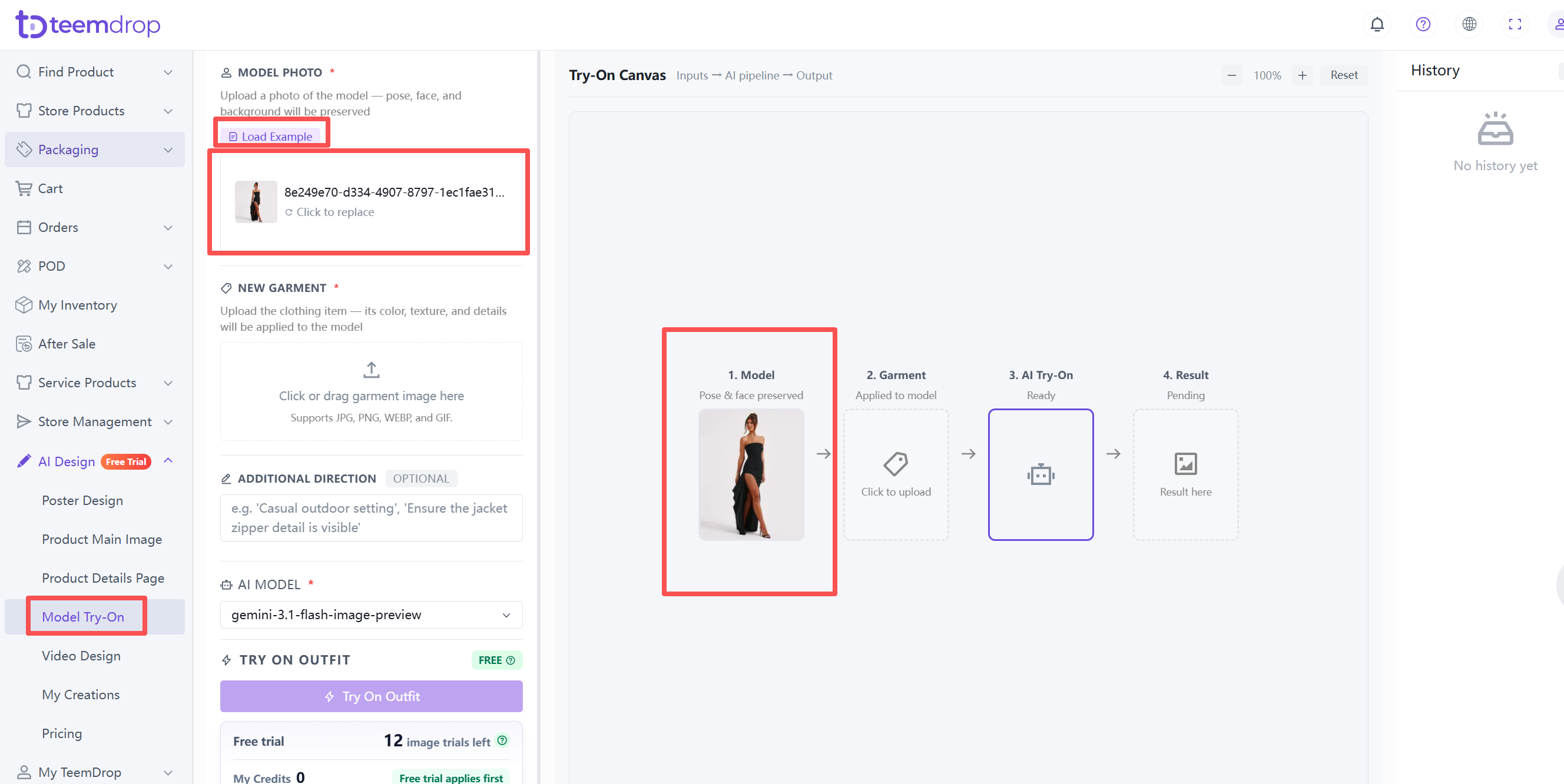
1. Upload a model photo
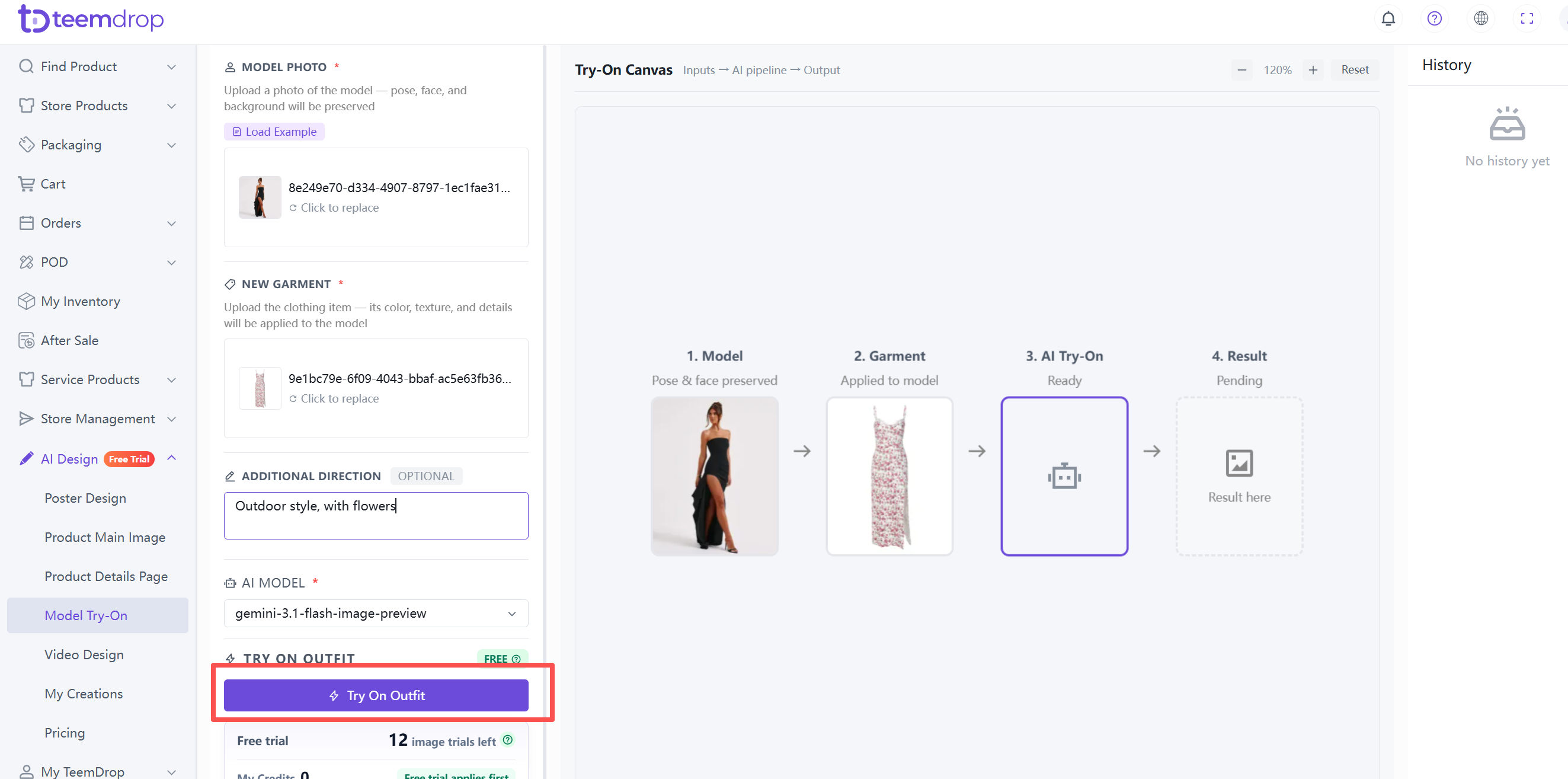
- Upload a photo of the model – the pose, face, and background will be preserved. Click Load Example to test with a sample image, or click the upload area to add your own.
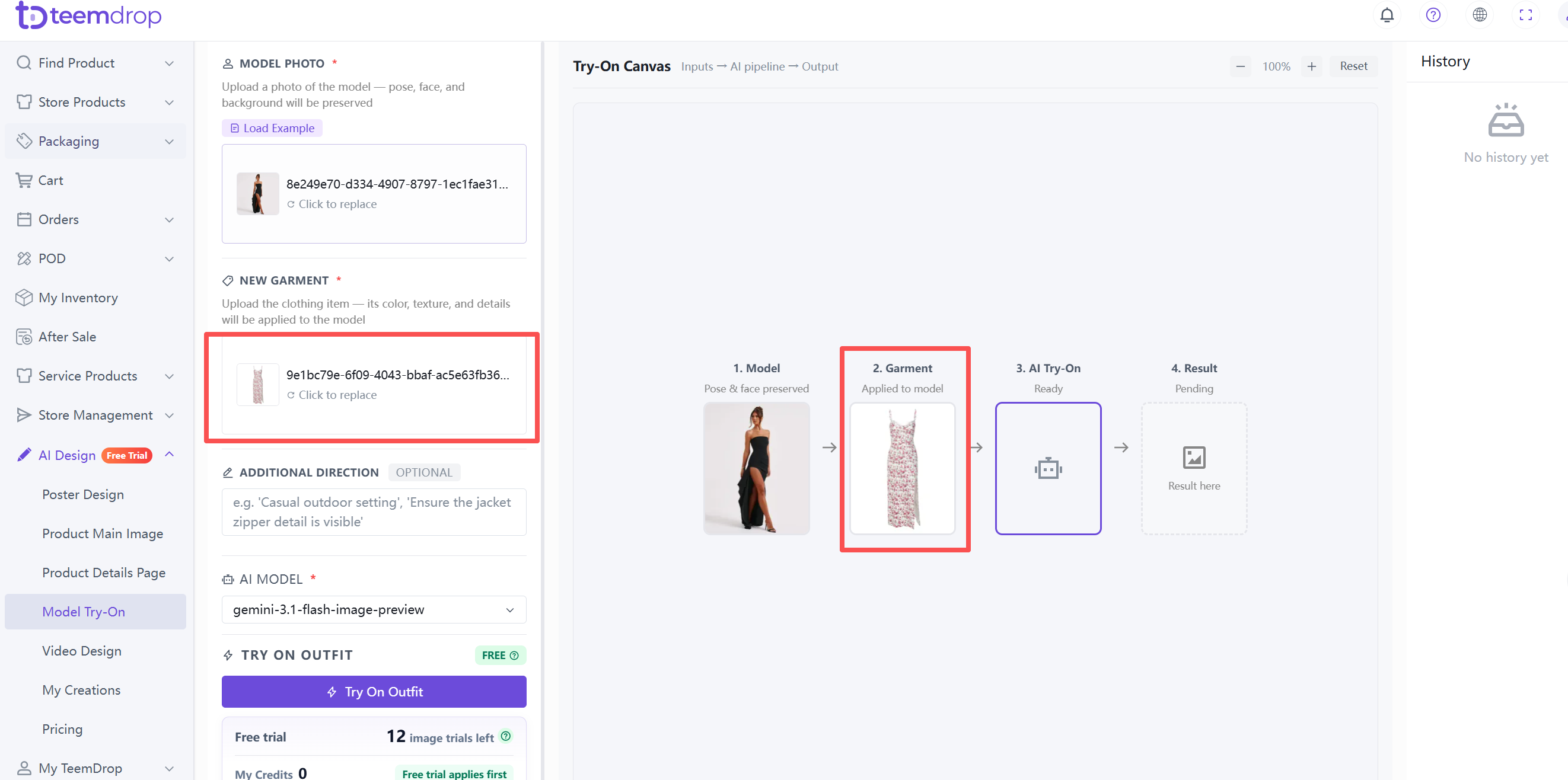
2. Upload your garment image
- Upload the clothing item – its color, texture, and details will be applied to the model.
- For best results, use a well-lit, flat lay or hanging garment image on a plain background – fully visible without folds or wrinkles.
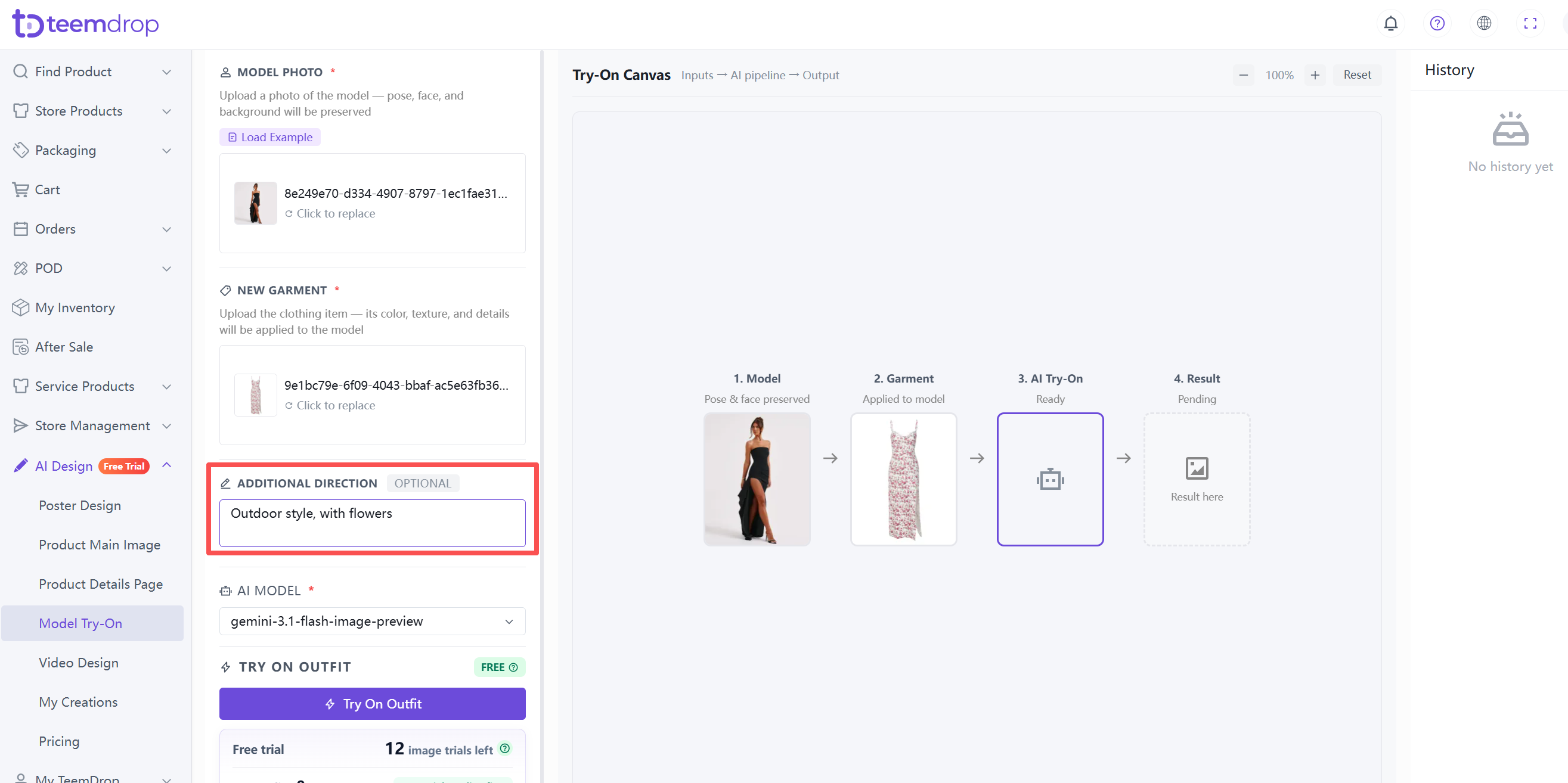
3. Add extra direction (optional)
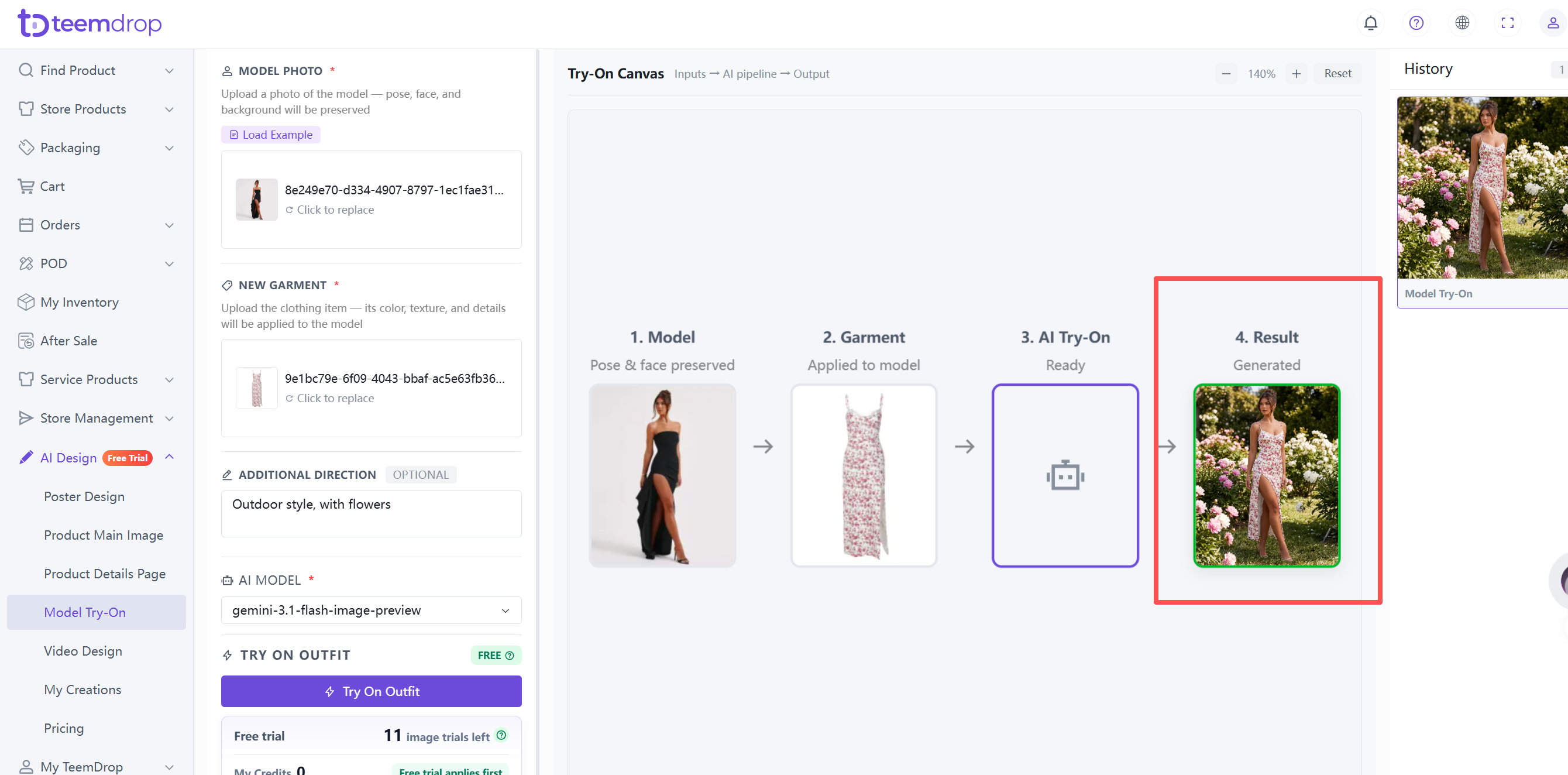
- Describe the scene or style you want. For example: "Outdoor style, with flowers."
4. Generate the try‑on effect
- Click the Try On Outfit button. Free trial credits are used first.
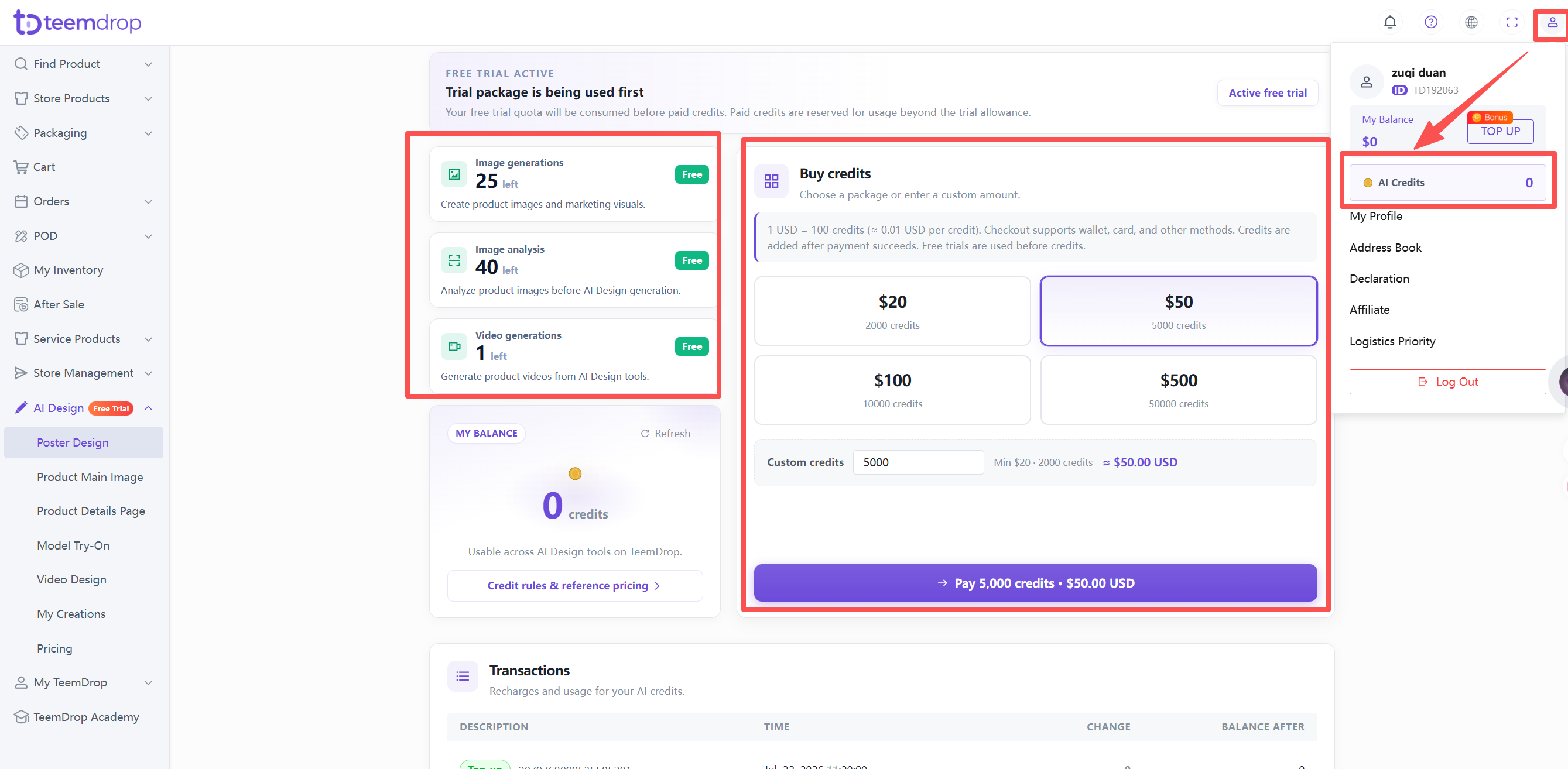
5. Check your Credits
- Click your profile icon in the top‑right corner → select AI Credits.
- Recharge options are there too.