Jul 24, 2026
How to Create Posters via AI Design Step by Step?
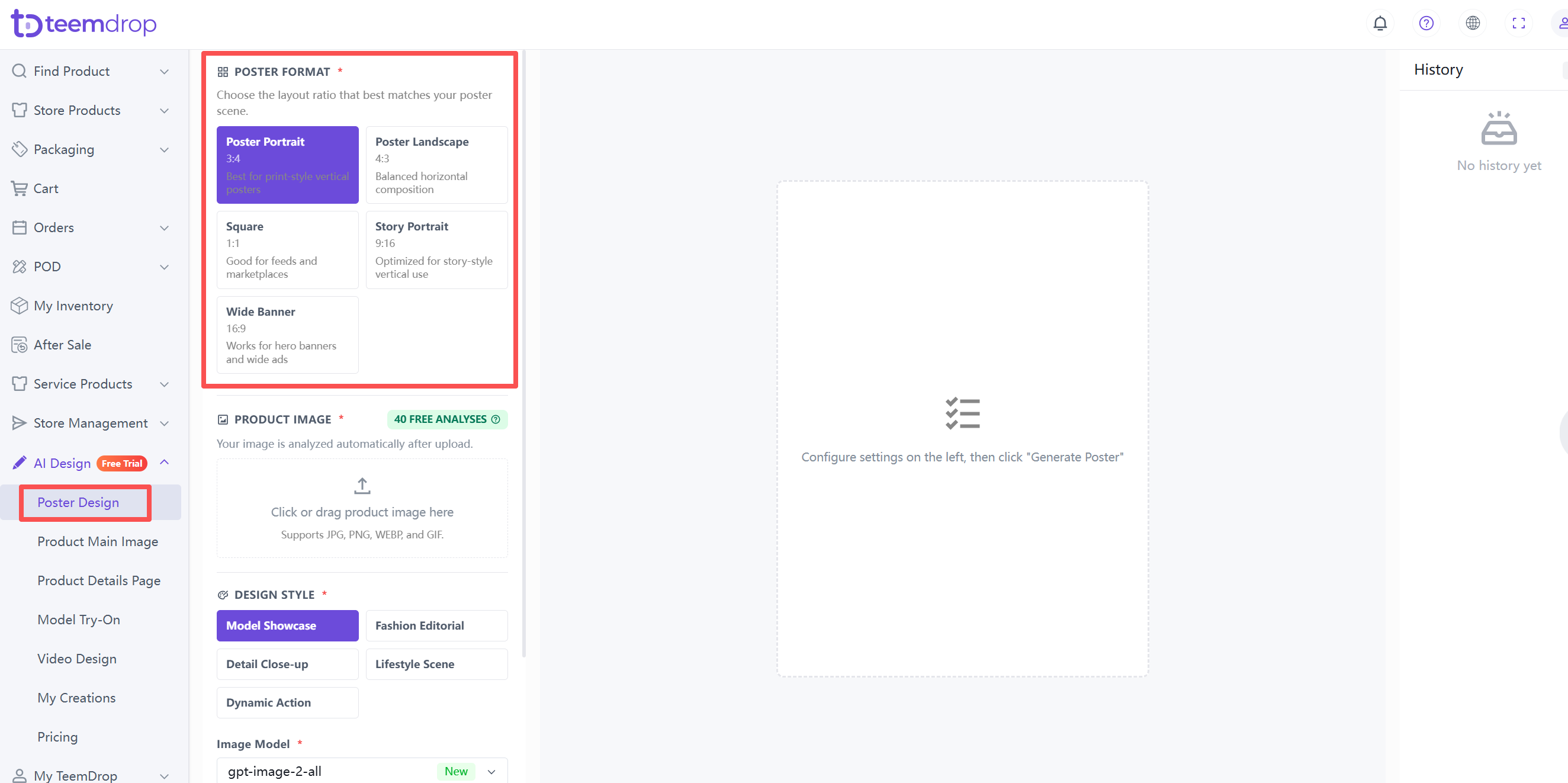
1. Choose a Poster Format
- Select one: Portrait (3:4), Landscape (4:3), Square (1:1), Story (9:16), or Banner (16:9) – based on where you plan to use it.
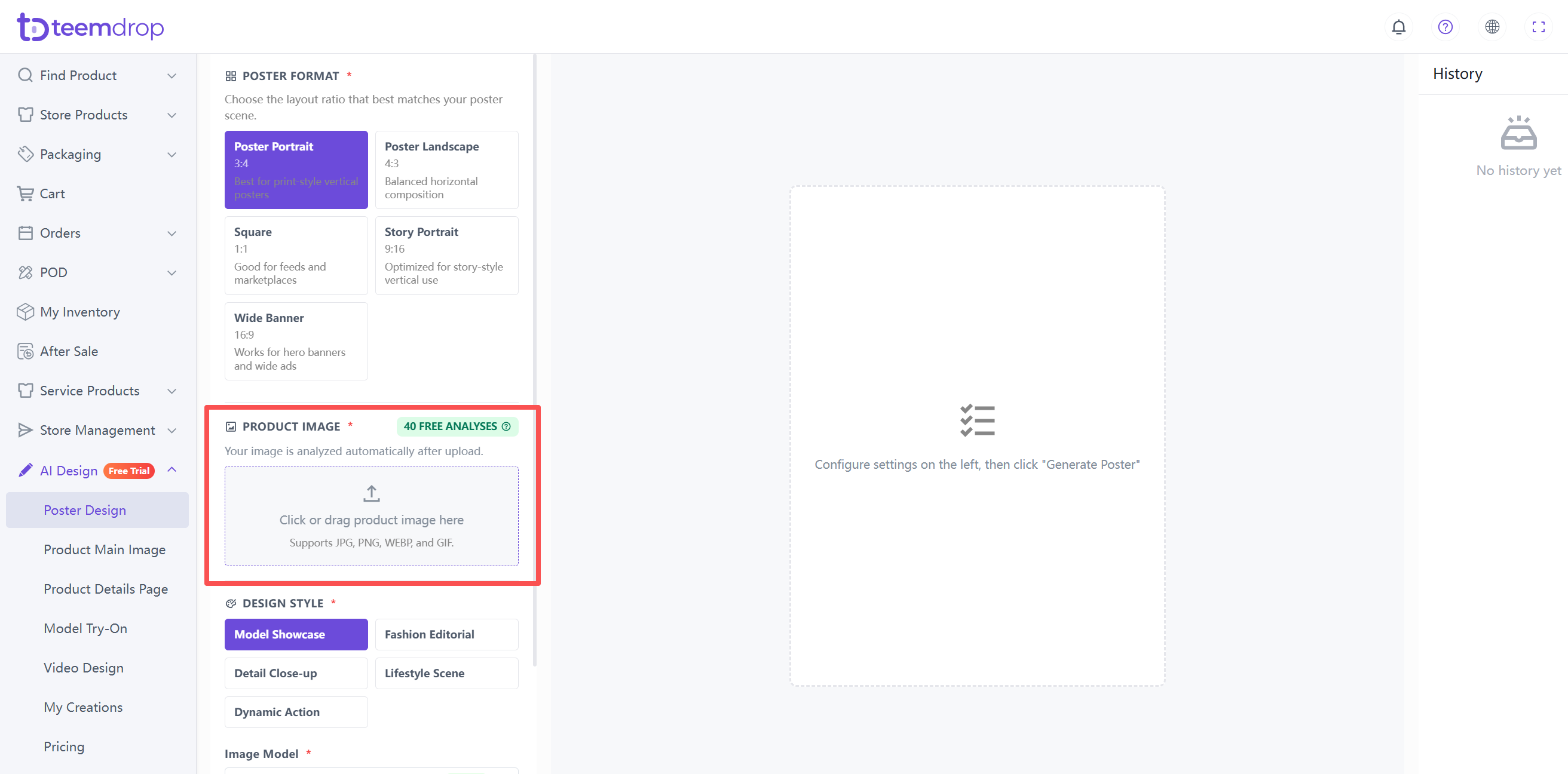
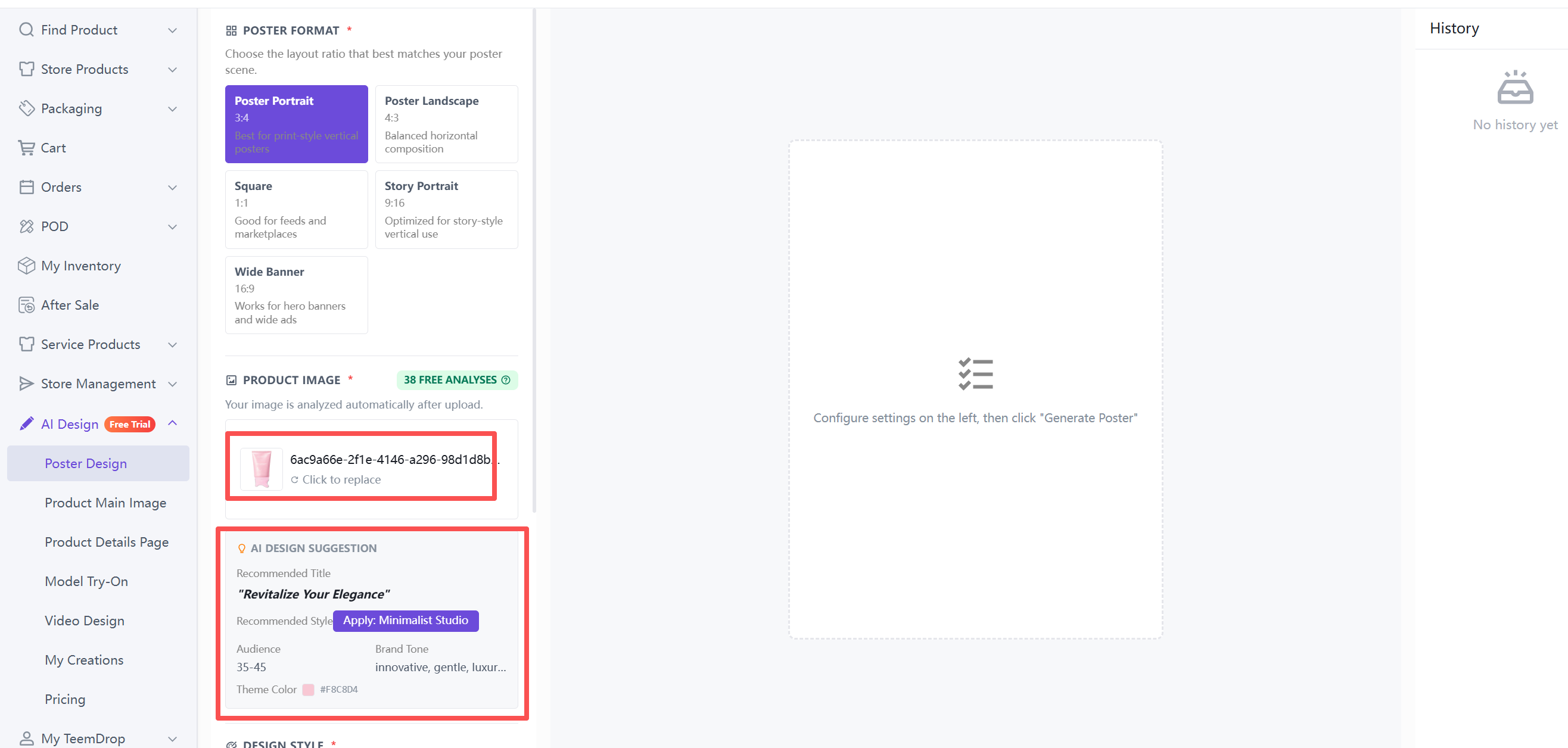
2. Upload your Product Image
- Click the upload area or drag your image in. Supports JPG, PNG, WEBP, and GIF.
- For best results, use a well-lit, centered, fully visible product image on a plain or white background.
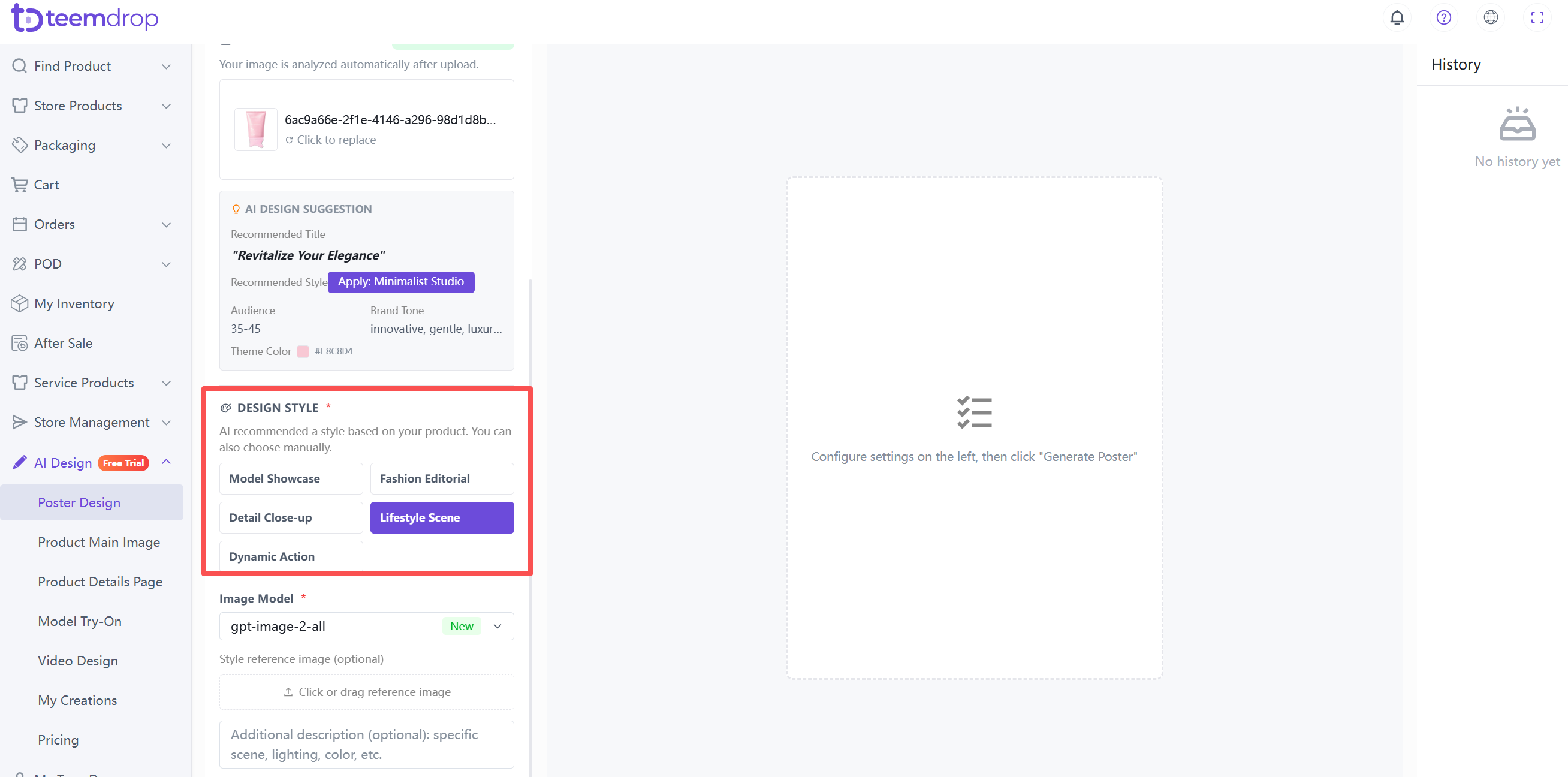
3. Pick a Design Style
- Choose from: Model Showcase, Fashion Editorial, Detail Close-up, Lifestyle Scene, or Dynamic Action.
4. Add Optional Details
- Add a scene description (lighting, colour, mood) or upload a style reference image if needed.
- Example Prompts
◦ Luxury style, dark background, soft lighting
◦ Minimalist, white background, clean shadows
◦ Natural lifestyle, morning light, fresh mood
◦ Black Friday, dark theme, discount banner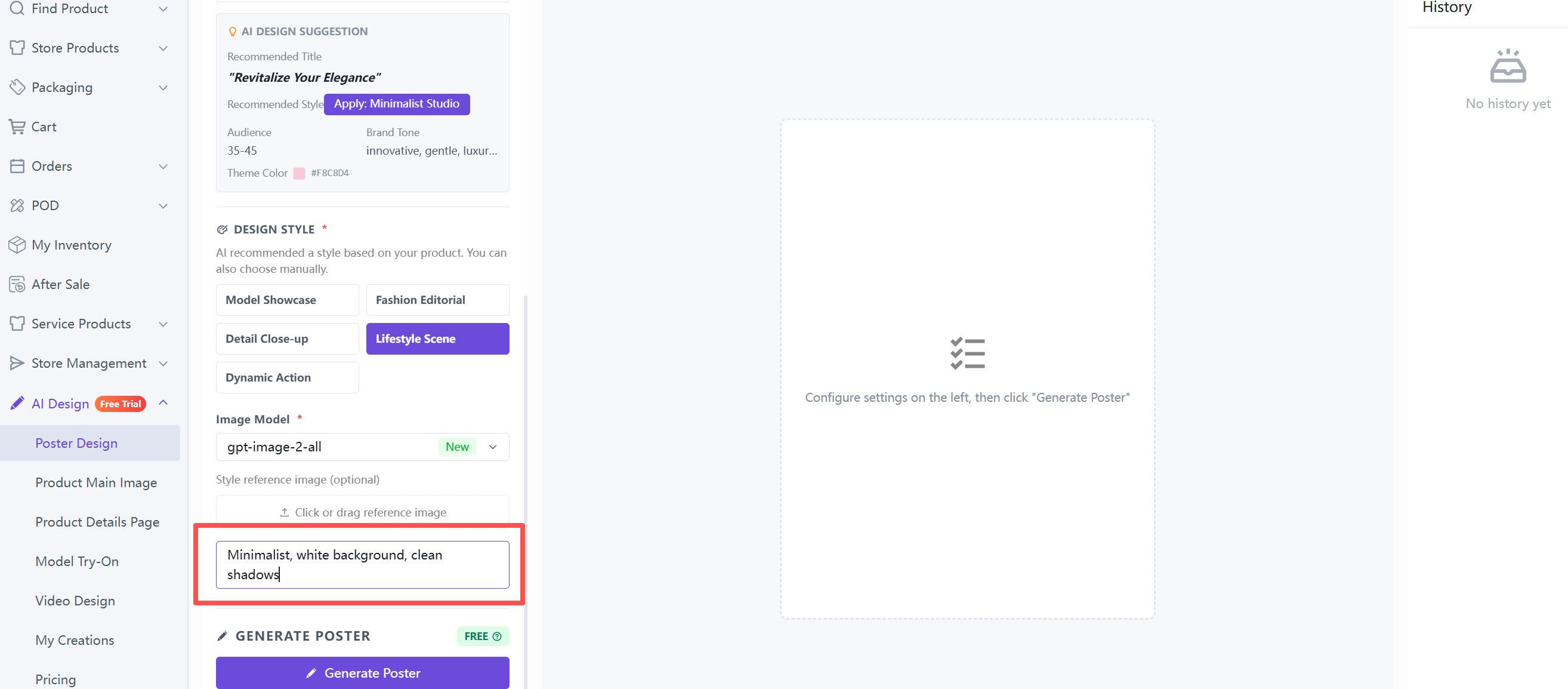
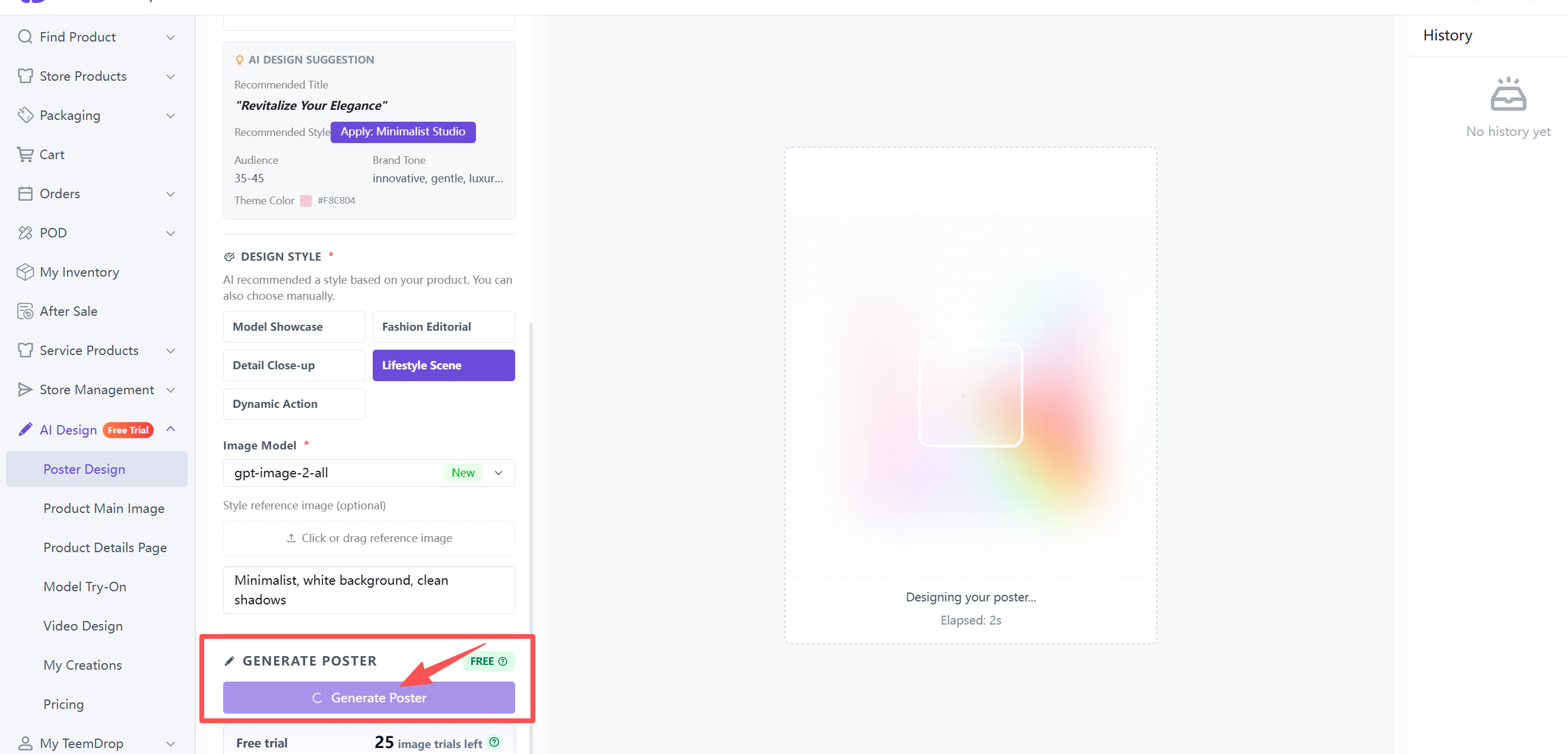
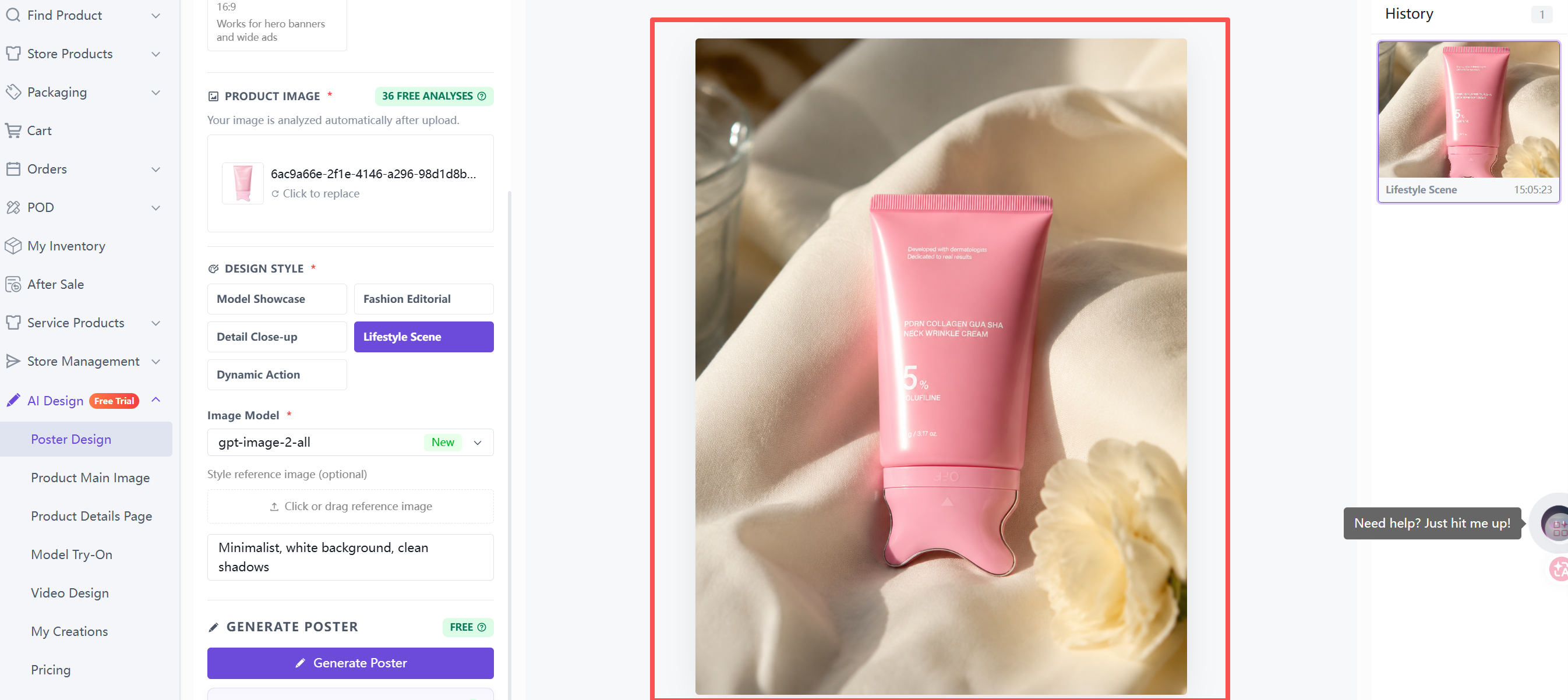
5. Generate the Poster
- Click the Generate Poster button. Free trial credits are used first.
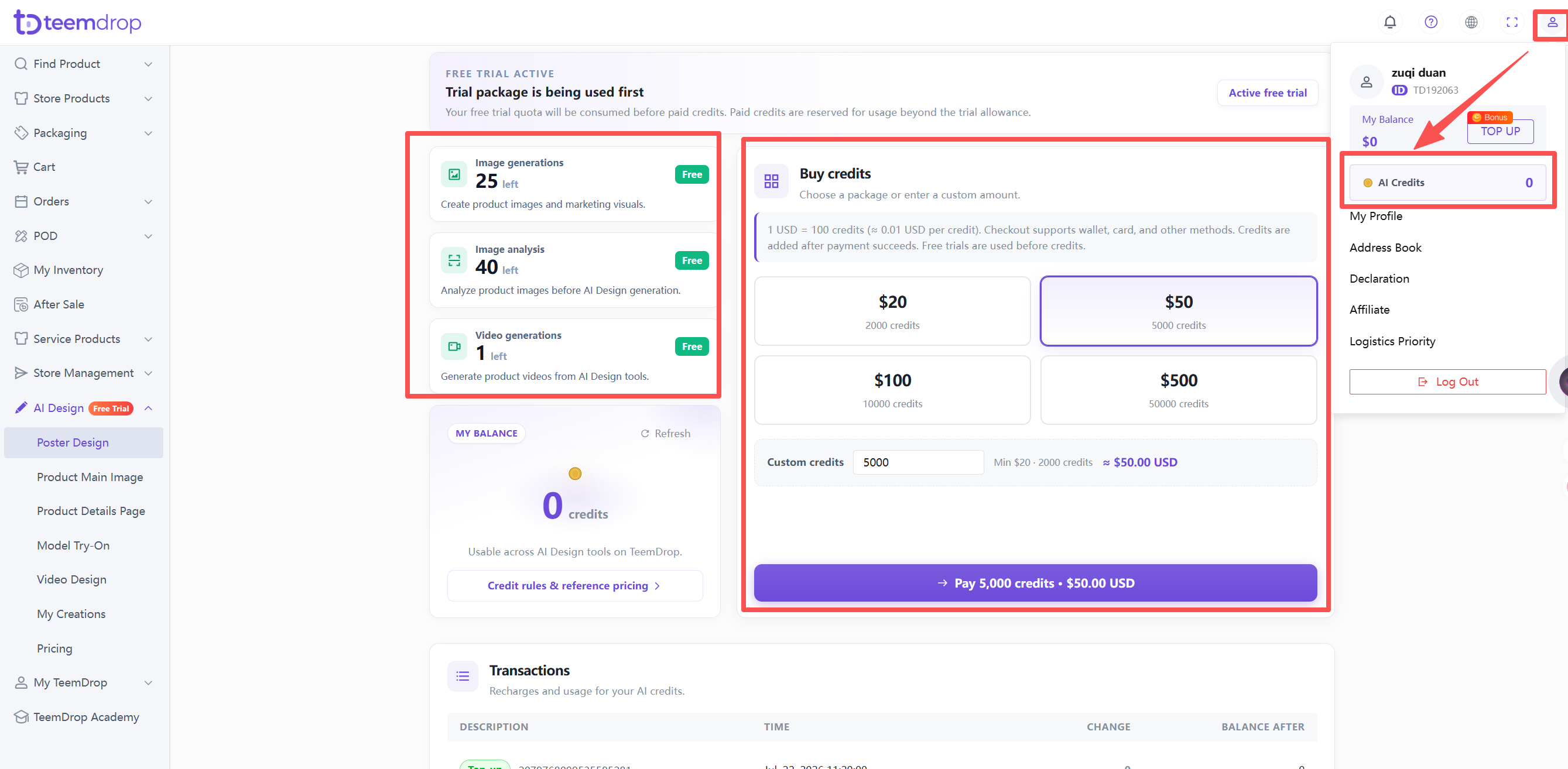
6. Check your Credits
- Click your profile icon in the top‑right corner > select AI Credits.
- Recharge options are there too.