


 Apr 09, 2026
How to pay for my orders?
Follow these simple steps to complete your payment:
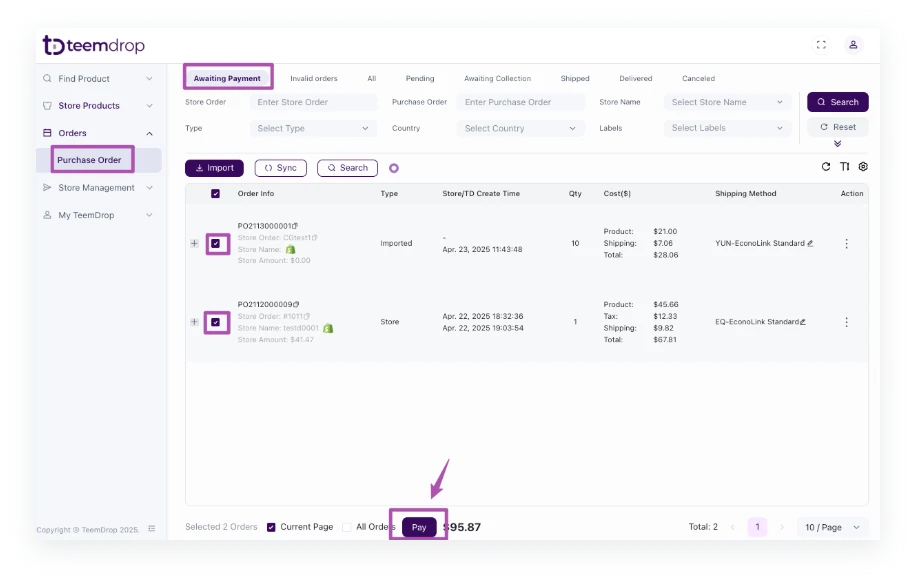
1. Go to Orders > Purchase Orders > Awaiting Payment
- Select the order you wish to pay for.
- Click the [Pay] button.
2. Review & Confirm Order Details
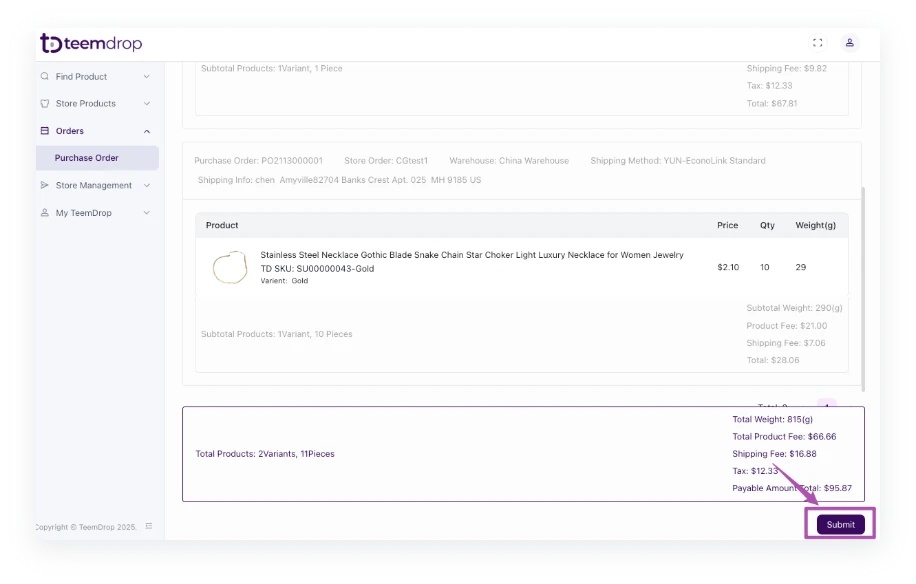
- Check the order summary and total price.
- Click [Submit] to proceed.
3. Choose Payment Method
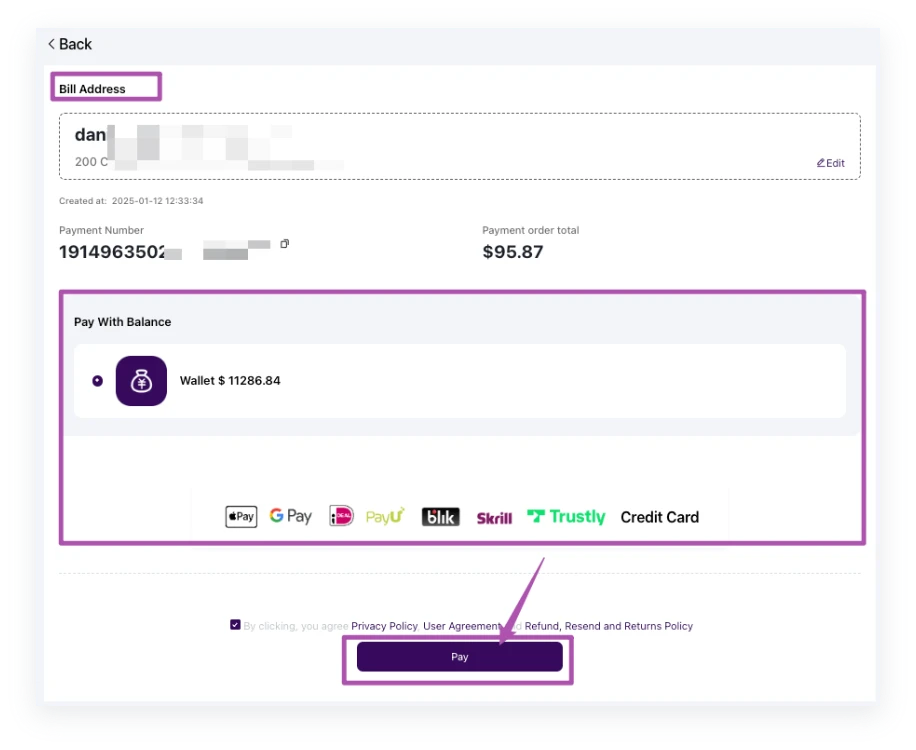
- Select your preferred payment option.
- Click [Pay] to finalize the transaction.
Note: for First-Time Payments, you will need to add your billing address before proceeding.
