Apr 09, 2026
How to sync your store orders to TeemDrop?
Prerequisite: Ensure you've completed store authorization before proceeding.
- Manual Sync Instructions
- Automatic Sync Feature
✨Manual Sync Instructions:
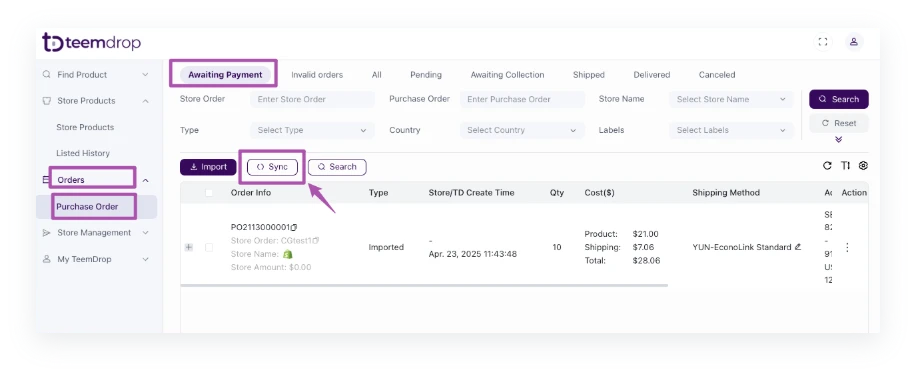
- Go to: Orders > Purchase Orders > Awaiting Payment
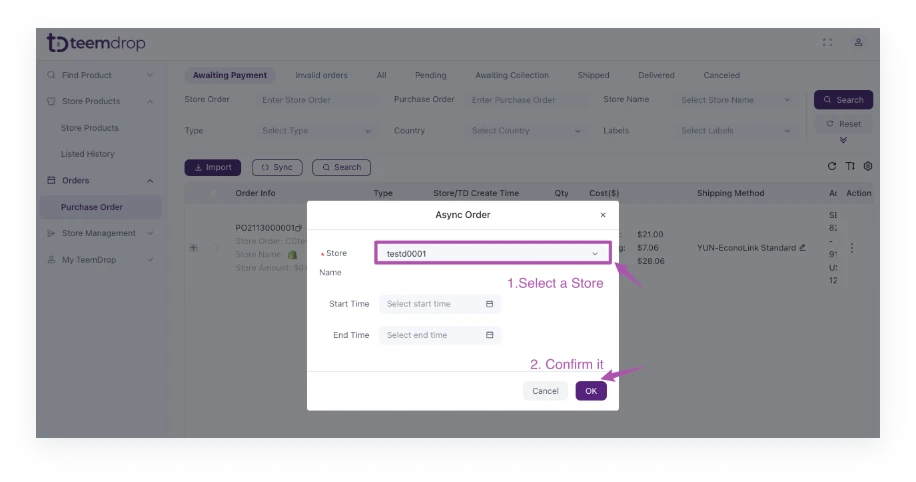
- Click the [Sync] button to initiate order synchronization
✨Automatic Sync Feature:
TeemDrop automatically syncs new orders from your stores. If orders don't appear as expected:
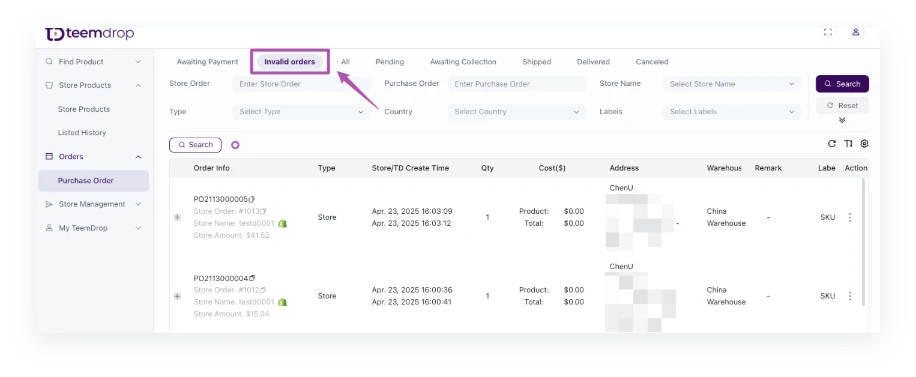
- Check the [Invalid Orders] section
- Refer to How to handle with Invalid Orders? to for resolution steps
- Note: TeemDrop can only process the 'unfulfilled' orders.