Apr 09, 2026
How to top up my TD wallet?
Step 1: Top-Up Entry
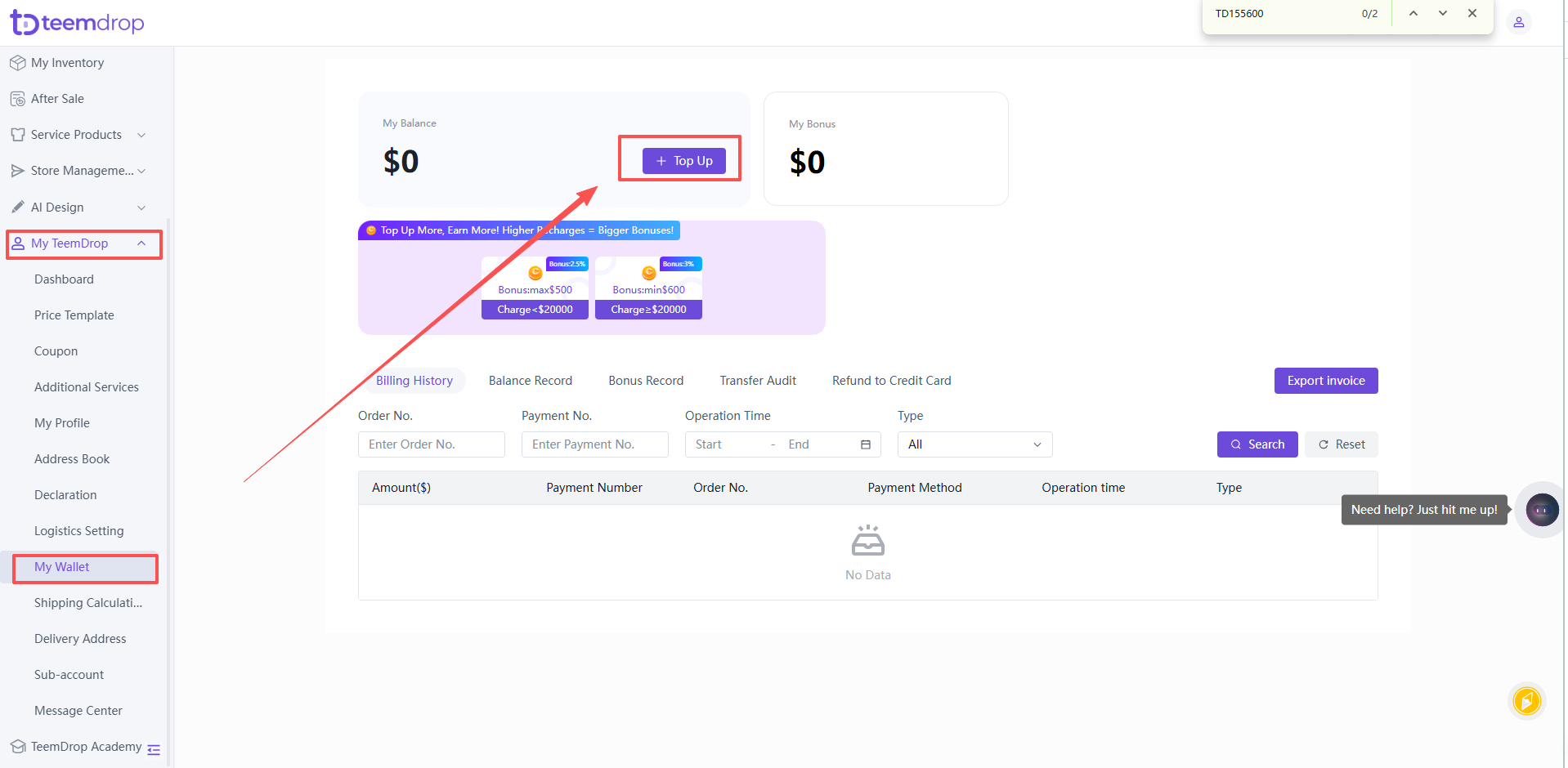
- Go to 【My TeemDrop】 >【My Wallet】, click the 【Top Up】 button at the top of the page to open the top-up pop-up window.
Step 2: Two Top-Up Channels Operation Guide
-
Channel A: Dual-purpose Account (Corporate & Personal)
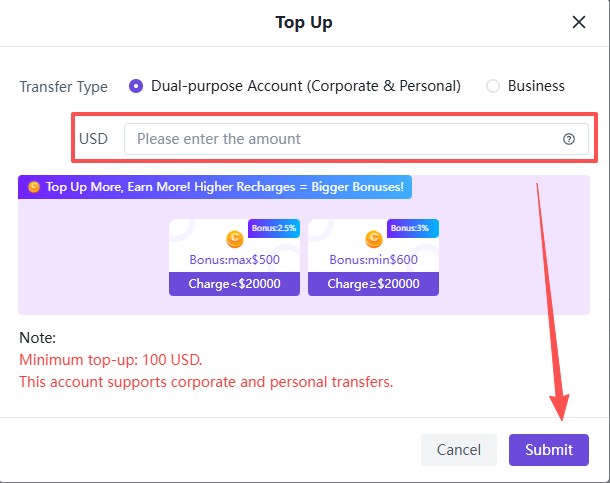
1)Enter Top-up Amount
Select this channel, enter the top-up amount in the USD input box, and click 【Submit】 after completion. Note: The minimum top-up amount is $100 USD per single transaction.
Note: The minimum top-up amount is $100 USD per single transaction.
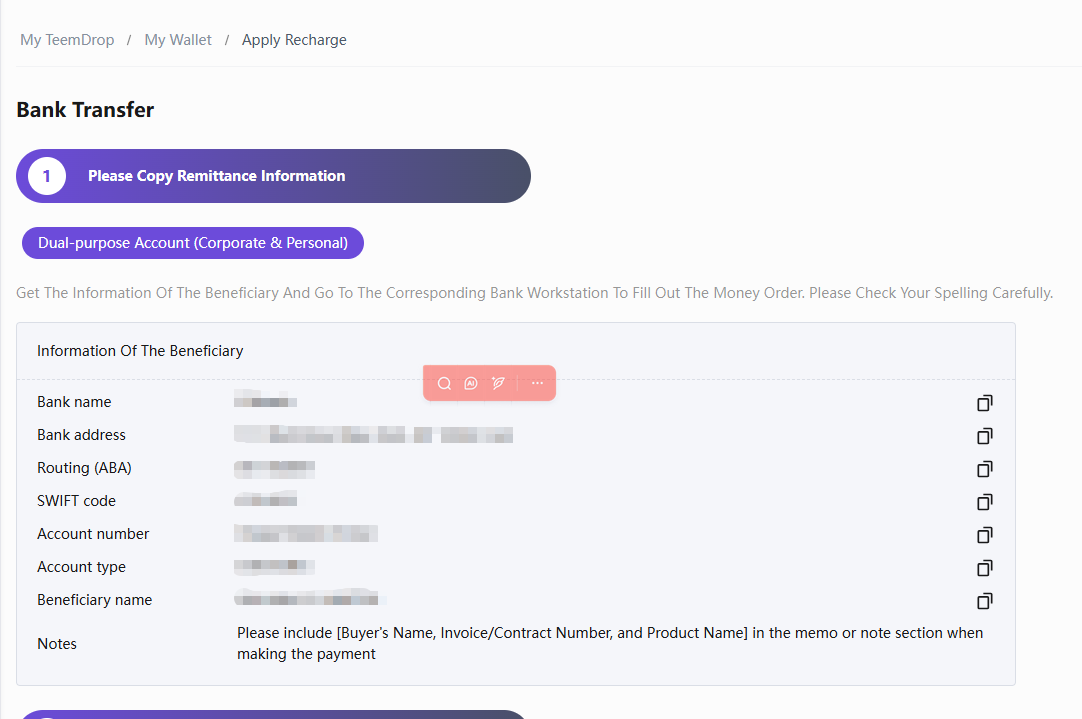
2)Copy Bank Details & Complete Transfer
The page will redirect to the remittance information page. Fully copy all official bank details including the bank name, account name, account number, SWIFT/ABA code and other corporate remittance information, then complete the cross-border transfer via personal or corporate online banking.
Required Transfer Remark: Payer Name + Bill/Contract No. + Product Name, to ensure accurate fund matching and successful account crediting.
3)Upload Receipt and Submit for Review
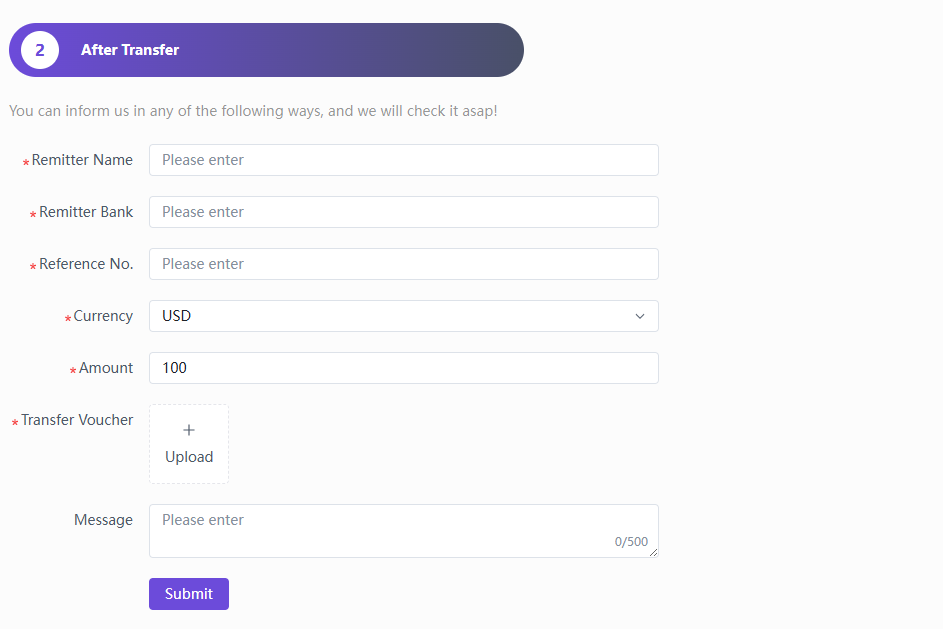
After completing the transfer, fill in all required information including payer name, paying bank, transfer serial number, transaction currency and actual transfer amount. Upload the bank transfer receipt or voucher, add remarks if necessary, and click 【Submit】 to send the application for review.
4)Processing Time
The manual reconciliation and review process takes 1-3 business days. After verification and approval, the top-up funds will be automatically credited to your TeemDrop wallet balance.
-
Channel B: Business Only Channel
1)Enter Top-up Amount
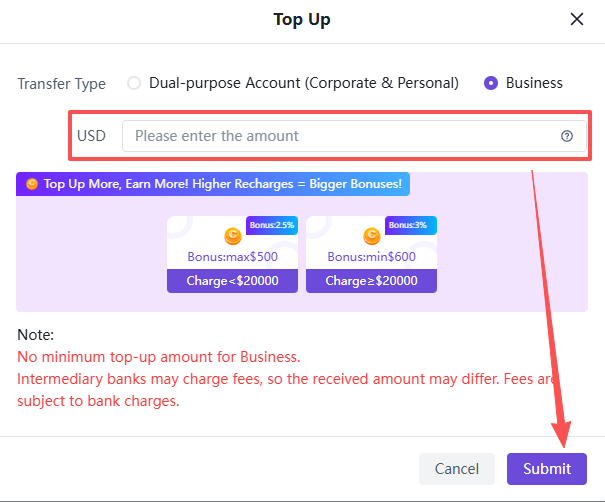
Select the Business channel, enter any expected top-up amount freely, and click 【Submit】. No minimum top-up limit applies to this channel.
Note: Intermediary banks may charge handling fees. The final credited amount will be different from the transferred amount, and all fee standards are subject to the official regulations of the receiving bank.
2)Select Payment Currency
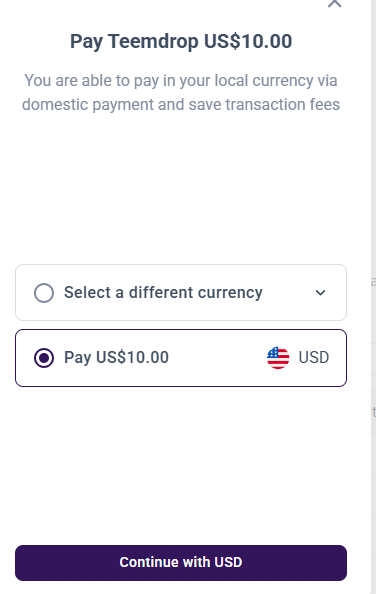
The page will automatically redirect to the currency selection interface with two available payment methods:
① Pay directly in USD;
② Pay in your local currency via domestic transfer to save cross-border transaction fees.
Confirm your preferred currency and click 【Continue】.
3)Fill in Contact Information
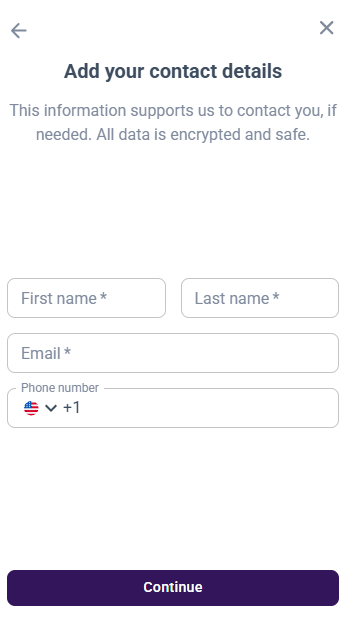
Fill in the mandatory information as required (first name, last name, email address). The phone number is optional. Click 【Continue】 after confirming all information is correct.
4)Complete Transfer and Confirm
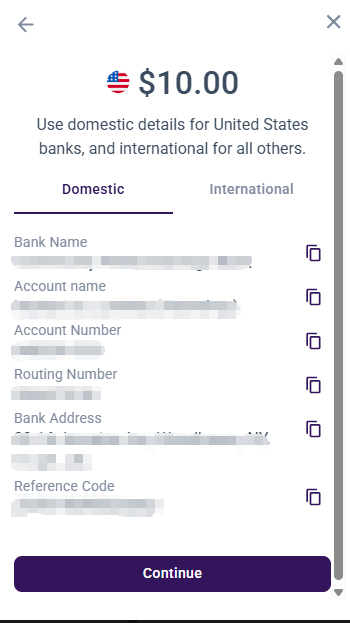
The page will display two sets of bank account details: Domestic and International. Copy the corresponding remittance information according to your transfer needs, and complete the corporate bank transfer via corporate online banking.
Click 【Continue】 after the transfer is completed to finish the whole process.
Special Note: No manual upload of transfer voucher is required for this channel. Our team will automatically match the funds to your TeemDrop wallet account according to the transfer information once we receive the payment.