Apr 09, 2026
Store Authorization via Shopify App
-
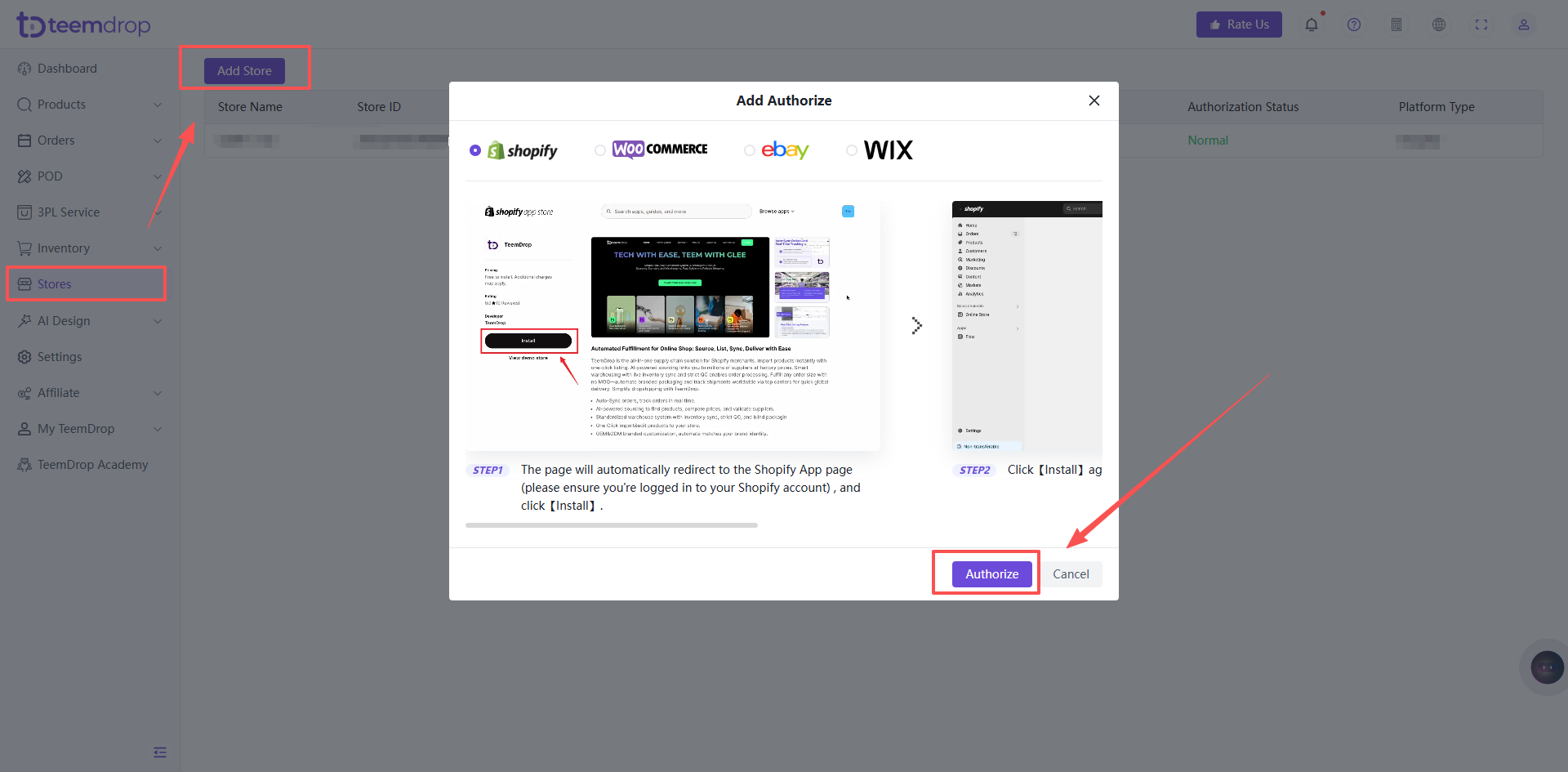
Go to 【Stores】 >【Add Stores】, click【Authorize】
-
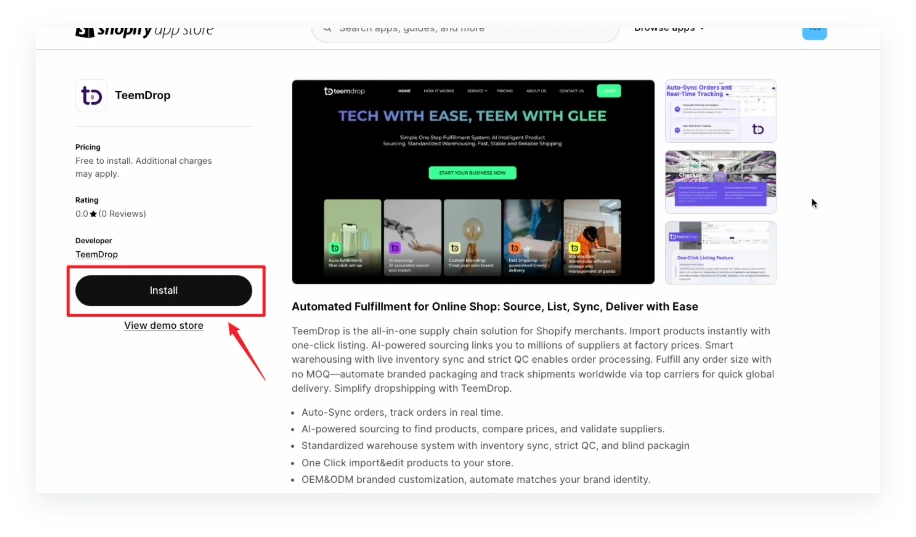
The page will automatically redirect to the Shopify App page (please ensure you're logged in to your Shopify account) , and click 【Install】
-
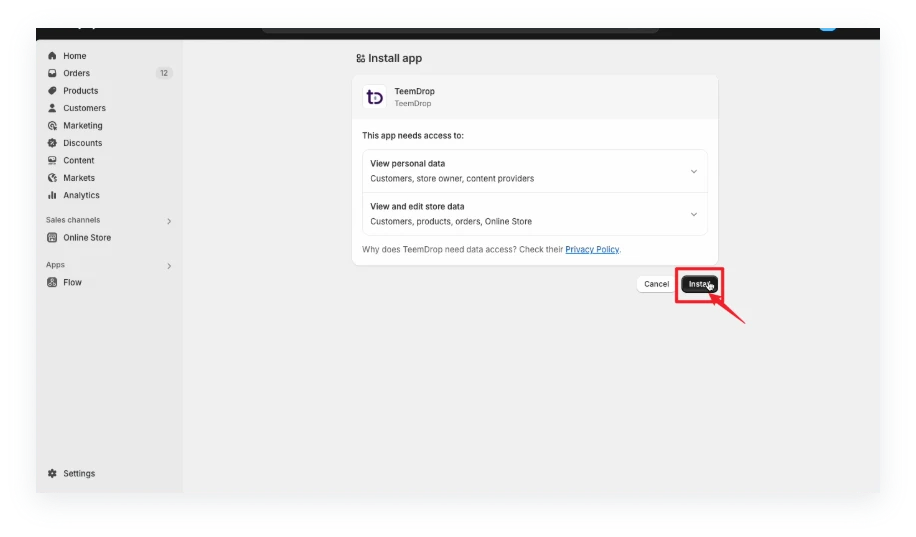
Click 【Install】 again to confirm
-
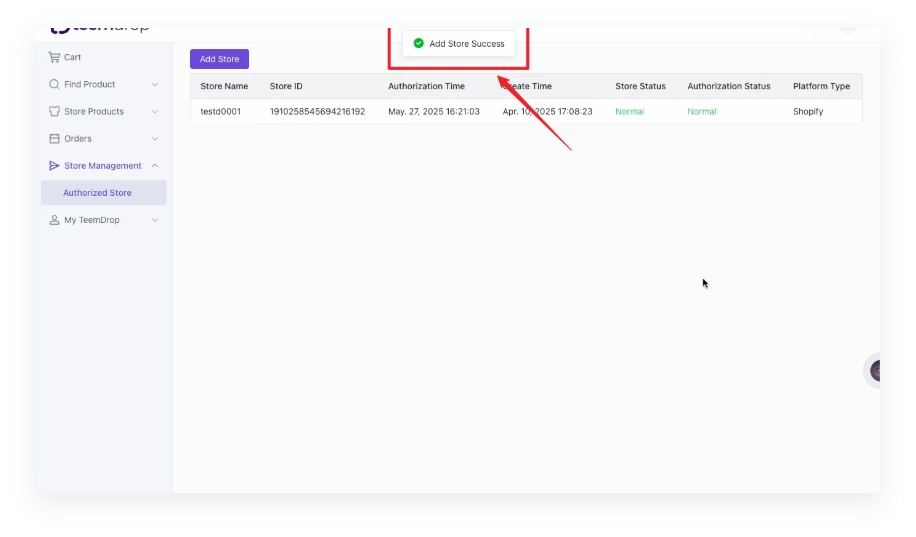
Congratulations! You've successfully completed the authorization.